Nodes
This document provides a complete reference for all node types available in pom.
Top-Level <Slide>
The top level of a pom XML document is one or more <Slide> elements, optionally preceded by a single <Theme> element (see the next section). Each <Slide> represents one slide and wraps that slide’s content (any of the nodes below).
<Slide>
  <VStack w="100%" h="max" padding="48" gap="24">
    <Text fontSize="32" bold="true">Title</Text>
    <Text fontSize="14">Body</Text>
  </VStack>
</Slide>- A
<Slide>must contain at least one child element. - Multiple top-level
<Slide>elements produce multiple slides. - Top-level elements other than
<Slide>and<Theme>are an error. <Slide>does not currently take attributes; per-slide properties (background, notes, etc.) are tracked separately.
The remaining sections describe nodes that go inside a <Slide>. For brevity, the example snippets below omit the <Slide> wrapper.
Top-Level <Theme> (Design Tokens)
A pom XML document may declare a single <Theme> element at the top level. Each attribute declares a named color token, and any color attribute in the document can reference a token as $tokenName. This keeps the palette in one place instead of repeating hex values on every node.
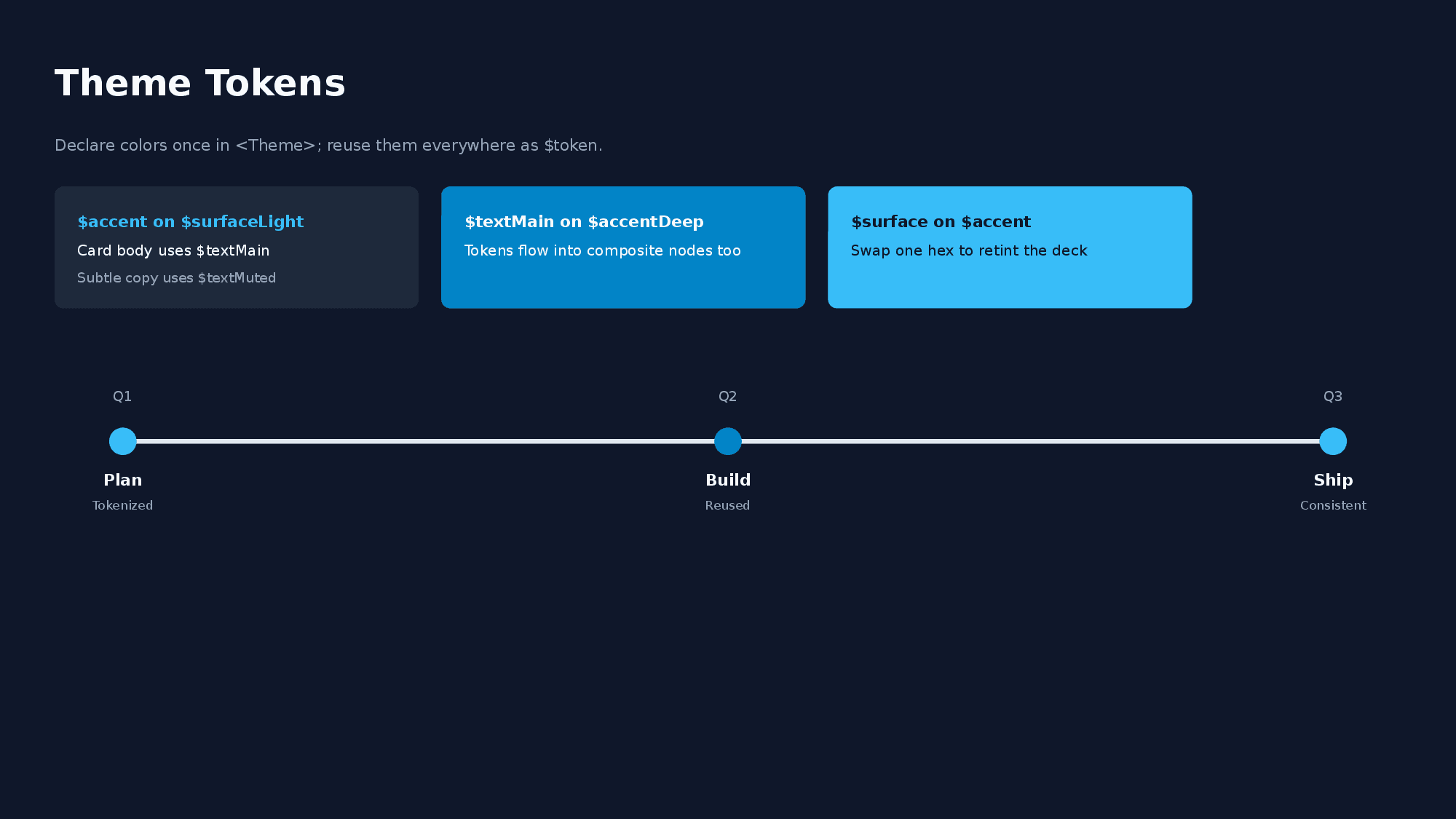
<Theme surface="0F172A" accent="38BDF8" textMain="F8FAFC" textMuted="94A3B8" />
<Slide>
  <VStack w="100%" h="max" padding="48" gap="16" backgroundColor="$surface">
    <Text fontSize="28" color="$textMain" bold="true">Title</Text>
    <Timeline dateColor="$textMuted" titleColor="$textMain" w="1000" h="120">
      <TimelineItem date="Q1" title="Phase 1" color="$accent" />
    </Timeline>
  </VStack>
</Slide>- Token names must start with a letter and may contain letters, digits,
_, and-. Values are 6-digit hex colors (#prefix optional). - At most one
<Theme>per document; it applies to all slides regardless of position. Child elements are not allowed. $tokenNamereferences are resolved in color attributes (attributes ending inColor/Colors,colorkeys inside object/JSON attributes,highlight) and insidebackgroundGradient/textGradientstrings. Other attributes and text content are never substituted.- References are resolved by
parseXml, so the returnedPOMNodetree contains plain hex values and the<Theme>element itself does not become a node (it is not preserved byserializeXml). - Referencing an unknown token (or using
$tokenwithout a<Theme>) throws aParseXmlErrorwith a “did you mean” suggestion.
Common Properties
Layout attributes that all nodes can have.
| Attribute | Type | Description |
|---|---|---|
id | string | Unique identifier within the slide (used by Arrow connectors) |
w | number / "max" / "50%" | Width |
h | number / "max" / "50%" | Height |
grow | positive number | Flex grow ratio among siblings (CSS flex-grow) |
minW maxW | number | Min/Max width |
minH maxH | number | Min/Max height |
padding | number / padding.top="8" padding.bottom="8" | Padding |
backgroundColor | hex | Background color (e.g., F8F9FA) |
backgroundGradient | linear-gradient(135deg, #667EEA 0%, #764BA2 100%) or radial-gradient(circle at center, #1D4ED8 0%, #38BDF8 100%) | Linear / radial gradient background |
backgroundImage | backgroundImage.src="url" backgroundImage.sizing="cover" | Background image |
border | border.color="333" border.width="1" | Border |
borderTop borderRight borderBottom borderLeft | borderLeft.color="1D4ED8" borderLeft.width="6" | Per-side border (overrides border for that side) |
borderRadius | number | Corner radius (px) |
opacity | 0-1 | Background transparency |
margin | number / margin.top="8" margin.bottom="8" | Outer margin |
zIndex | number | Stacking order (higher = on top) |
position | relative / absolute | Positioning mode |
top | number | Top offset (with position) |
right | number | Right offset (with position) |
bottom | number | Bottom offset (with position) |
left | number | Left offset (with position) |
alignSelf | auto / start / center / end / stretch | Override parent alignItems |
shadow | shadow.type="outer" shadow.blur="4" shadow.offset="2" shadow.color="000" | Drop shadow (not supported on Line) |
-
grow: Distributes the remaining space of aVStack/HStackamong siblings in proportion to theirgrowvalues (e.g.,grow="2"andgrow="1"produce a 2:1 split). Along the parent’s main axis,w="max"/h="max"behave asgrow="1"; whengrowis specified together with them,growtakes precedence. See Layout System for details.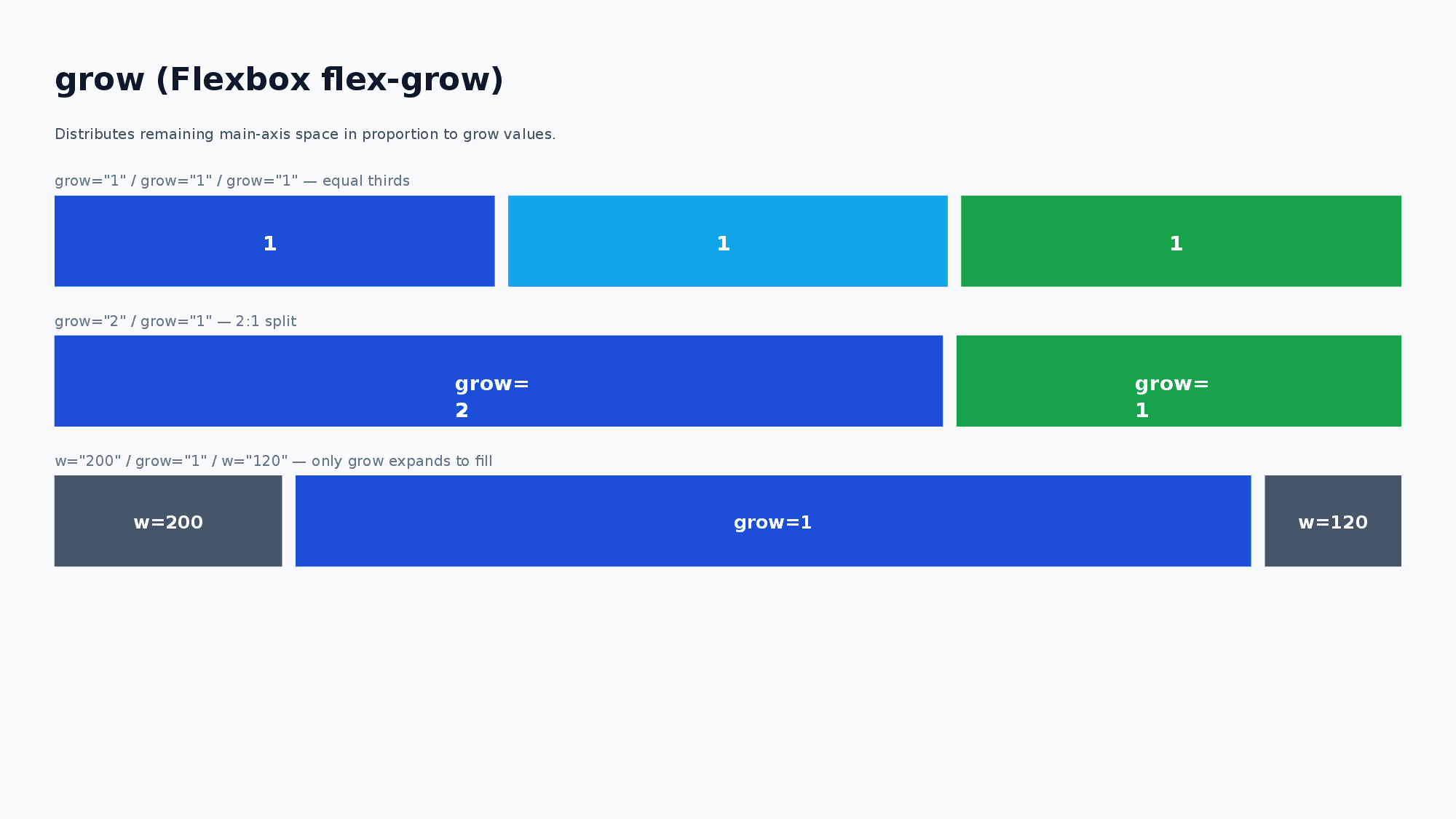
-
backgroundGradient: CSS-likelinear-gradient()orradial-gradient()syntax. Exported as a native PowerPoint gradient fill (editable, not rasterized). Takes precedence overbackgroundColor. When set on the root node of a slide, it is applied as the slide background.linear-gradient(<angle>?, <stop>, <stop>, ...)— Angle accepts<n>deg(0 = bottom-to-top, clockwise) orto <direction>keywords (to right,to bottom left, …) and defaults to180deg(top-to-bottom).radial-gradient(<shape>? <size>? at <position>?, <stop>, <stop>, ...)— Shape acceptscircle/ellipse(defaultellipse). Size acceptsclosest-side/closest-corner/farthest-side/farthest-corner(defaultfarthest-corner). Position acceptsat center/at top right/at 25% 75%etc. (defaultcenter). Note: PowerPoint’s radial gradient fill follows the container aspect ratio and does not visually distinguishcirclevs.ellipseor the size keyword — they are accepted as syntax but render the samefarthest-cornerellipse on output. Only the center position changes the rendered result.- Two or more hex color stops are required for both forms. Stop positions (
%) are optional and distributed evenly when omitted.
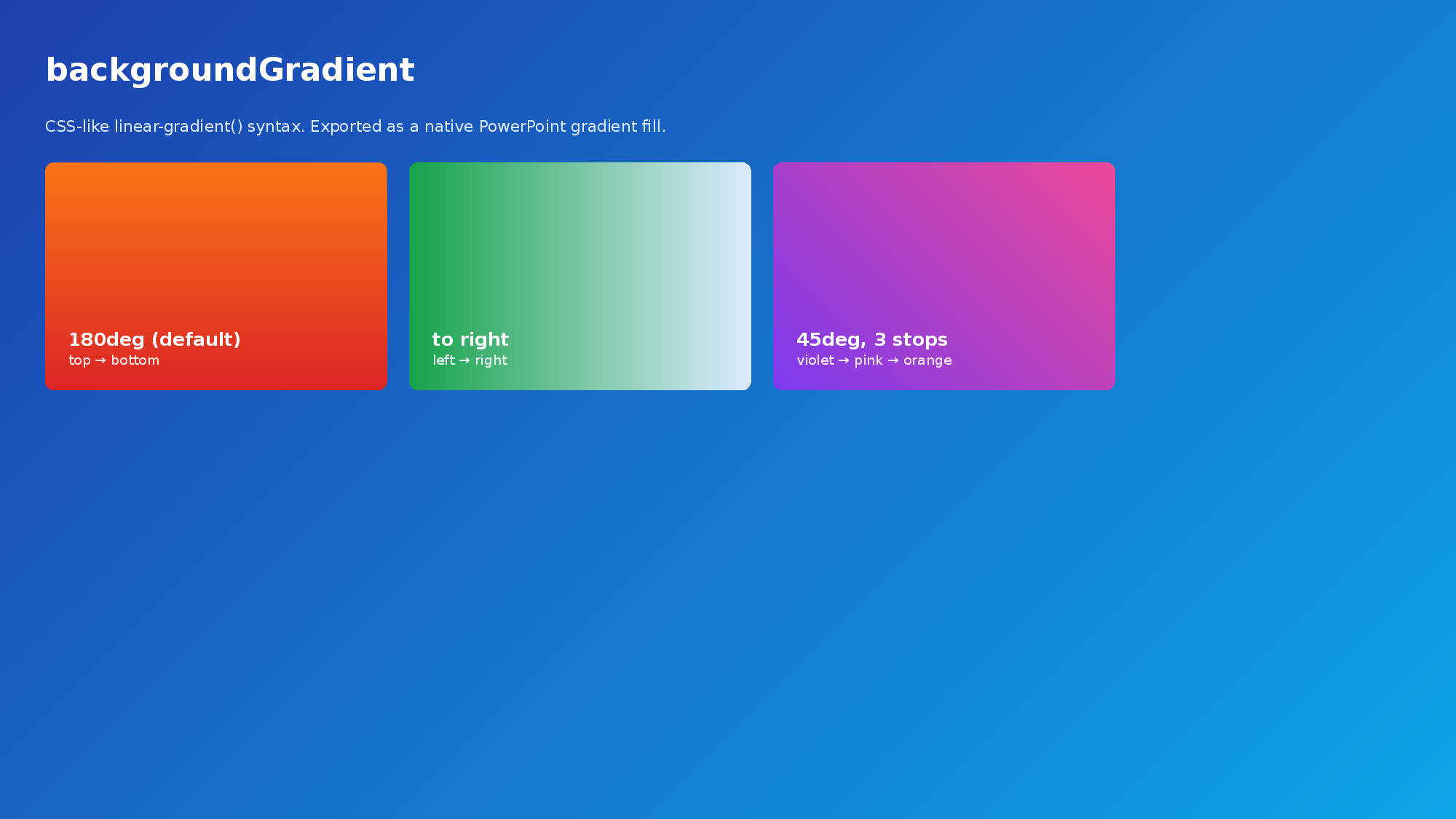
-
backgroundImage:srcaccepts a URL or local file path.sizingcontrols how the image fits:"cover"(default) fills the area,"contain"fits within the area. -
border: Can be combined withcolor,width, anddashType("solid"/"dash"/"dashDot"/"lgDash"/"lgDashDot"/"lgDashDotDot"/"sysDash"/"sysDot"). -
borderTop/borderRight/borderBottom/borderLeft: Per-side borders with the same fields asborder(color/width/dashType). Useful for accent bars (borderLeft.width="6") or underlined headings (borderBottom.width="3"). When combined withborder, each side merges field-by-field with the per-side value taking precedence. Combinable withborderRadius: whenborderTopis present, both upper corner arcs are painted inborderTop’s color; whenborderBottomis present, both lower corner arcs are painted inborderBottom’s color.borderLeft/borderRightonly ever draw their straight segment between the rounded corners — they do not “wrap” into the arcs, soborderLeft+borderRadiusreads as a clean left accent bar with neutral rounded corners.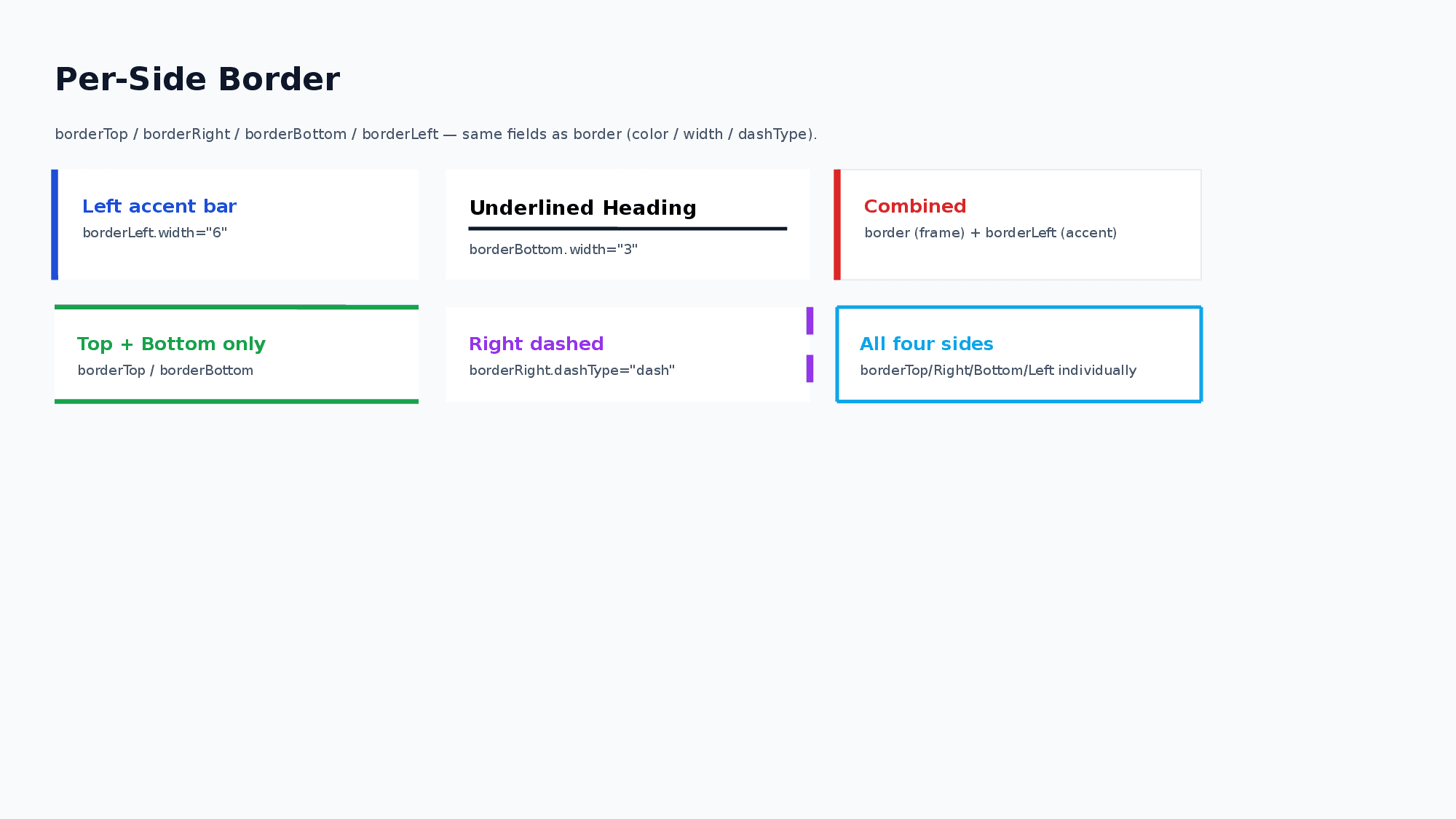
-
opacity: 0 = fully transparent, 1 = fully opaque. Useful for semi-transparent overlays with Layer nodes. -
Shorthand (
padding="16"/border='{"color":"333","width":1}') and dot notation (padding.top="8"/border.color="FF0000") can be mixed on the same node. Shorthand is used as the default value, then dot notation overrides each top-level key. -
Mixed shorthand + dot notation is supported for:
paddingmarginbordercellBorderlinefillshadowunderlinebeginArrowendArrowbackgroundImageconnectorStylesizingglowoutline.
Leaf Rotation
Text, Shape, Image, and Icon support rotate as a number of degrees clockwise.
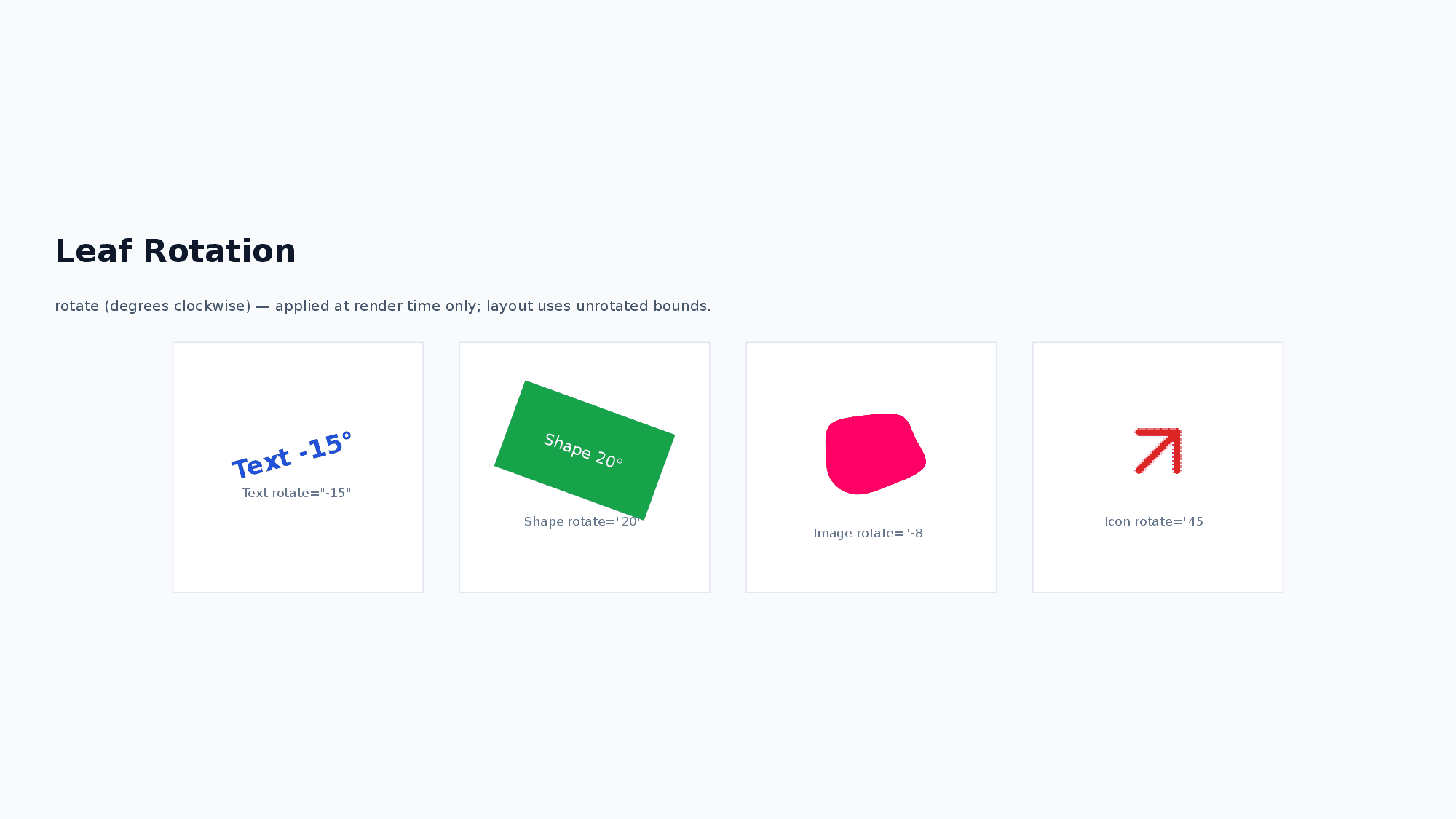
<Text rotate="12">Rotated label</Text>
<Shape shapeType="rect" w="120" h="60" rotate="-15" />
<Image src="sample_images/sample_0.png" w="160" h="100" rotate="8" />
<Icon name="cpu" rotate="45" />
Rotation is applied only when rendering to PowerPoint. Yoga layout uses the unrotated bounding box, so rotation does not change sibling placement or parent size.
Node List
1. Text
A node for displaying text.
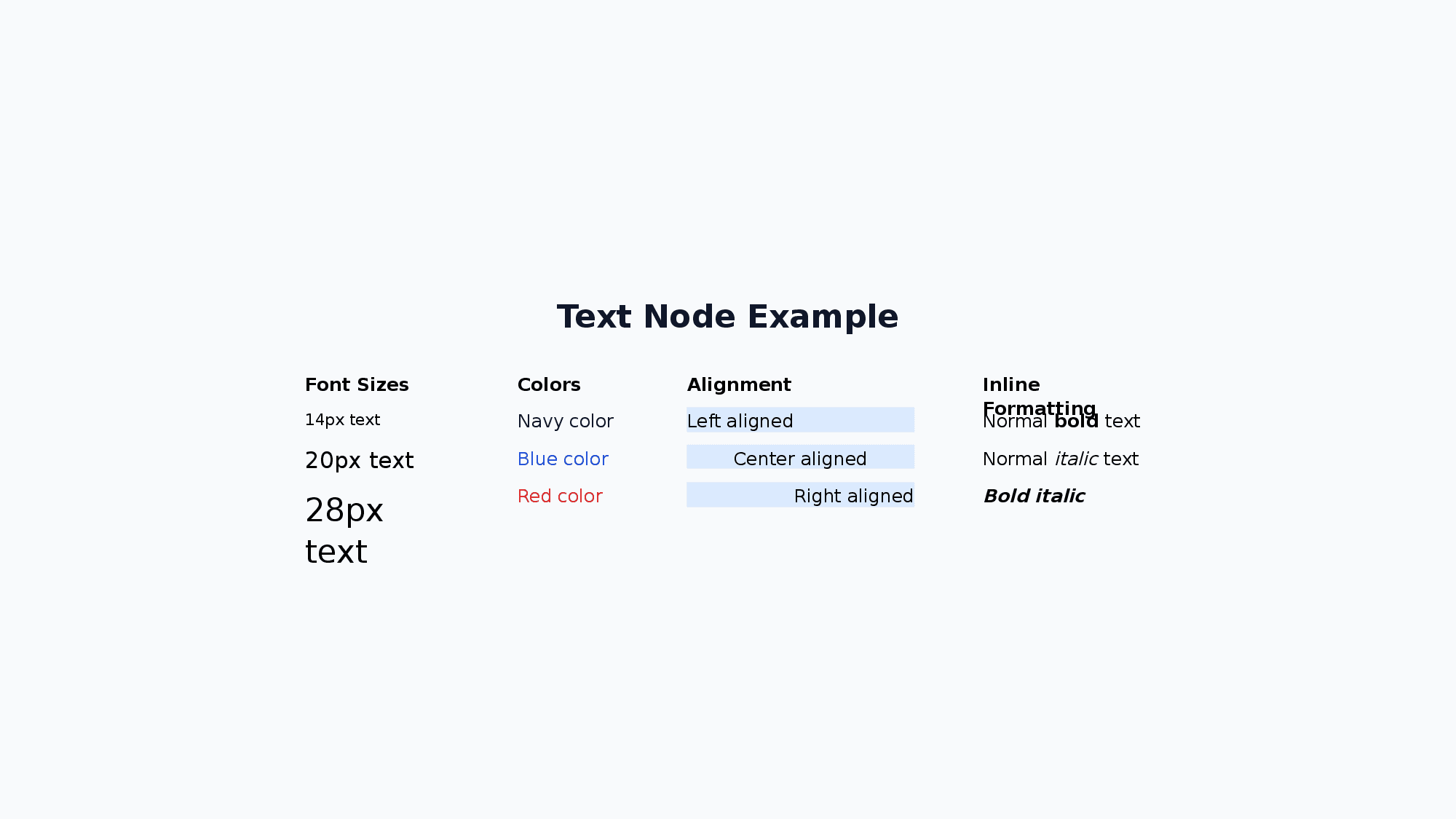
<Text fontSize="24" bold="true" color="333333" textAlign="center">Title</Text>| Attribute | Values |
|---|---|
fontSize | number (default: 24) |
color | hex (text color) |
textGradient | linear-gradient(90deg, #38BDF8 0%, #A78BFA 100%) |
textAlign | left / center / right |
bold italic strike | true / false |
subscript superscript | true / false |
underline | true / underline.style="wavy" underline.color="FF0000" |
highlight | hex (highlight color) |
fontFamily | string (default: Noto Sans JP) |
lineHeight | number (default: 1.3) |
letterSpacing | number in px (letter spacing, converted to pt on output) |
glow | glow.size="8" glow.opacity="0.5" glow.color="FF3399" |
outline | outline.size="2" outline.color="0088CC" |
rotate | number (degrees clockwise, render-only) |
textGradient accepts the same linear-gradient(...) syntax as backgroundGradient (angle + 2 or more hex color stops, optional % positions). Exported as a native PowerPoint gradient text fill (editable, not rasterized) and takes precedence over color. Applied at the <Text> node level — all runs (<Span>, <B>, etc.) inside are painted with the same gradient, overriding any per-run color.
<Text fontSize="64" bold="true" textGradient="linear-gradient(90deg, #38BDF8 0%, #A78BFA 100%)">Gradient title</Text>Inline Formatting:
Use <B>, <I>, <A>, <U>, <S>, <Sub>, <Sup>, <Mark>, and <Span> child elements for partial bold/italic/underline/strikethrough/subscript/superscript/highlight/color and hyperlinks within a single text node:
<Text fontSize="16">Normal <B>bold</B> and <I>italic</I> text</Text>
<Text fontSize="16"><B><I>Bold italic</I></B></Text>
<Text fontSize="16">Visit <A href="https://example.com">our site</A></Text>
<Text fontSize="16">Normal <U>underline</U> and <S>strikethrough</S> text</Text>
<Text fontSize="16">H<Sub>2</Sub>O and x<Sup>2</Sup> + y<Sup>2</Sup></Text>
<Text fontSize="16"><Mark color="FFFF00">highlighted</Mark> text</Text>
<Text fontSize="16"><B><U>Bold underline nested</U></B></Text>
<Text fontSize="16">Normal <Span color="FF0000">red text</Span> normal</Text>
<Text fontSize="16"><B><Span color="1D4ED8">bold blue</Span></B></Text>
<Text fontSize="16" fontFamily="Noto Sans JP">Default <Span fontFamily="Arial">Arial section</Span> default</Text>
<Text fontSize="16">Normal <Span letterSpacing="6">spaced out</Span> normal</Text>
<Text fontSize="52" bold="true" color="1D4ED8">¥84.2<Span fontSize="20">M</Span></Text>
<Span> supports color, fontFamily, fontSize, and letterSpacing attributes. When fontFamily is specified, that run uses the given font face (overrides the parent Text’s fontFamily). fontSize overrides the font size for that run only (useful for inline “big number + small unit” layouts such as KPI numerals like ¥84.2M or 118%). letterSpacing adjusts the spacing between characters for that run only. Note: <Span letterSpacing> is effective inside <Text> only (ignored inside <Li> / <Td>), and layout measurement uses the Text-level letterSpacing (run-level spacing affects rendering only). For <Span fontSize>, layout measurement uses the largest run-level fontSize to avoid clipping.
Subscript / Superscript:
Use <Sub> / <Sup> inline tags for chemical formulas, exponents, and ordinals, or the node-level subscript / superscript attributes to apply the effect to a whole <Text>. The two are mutually exclusive on the same run.
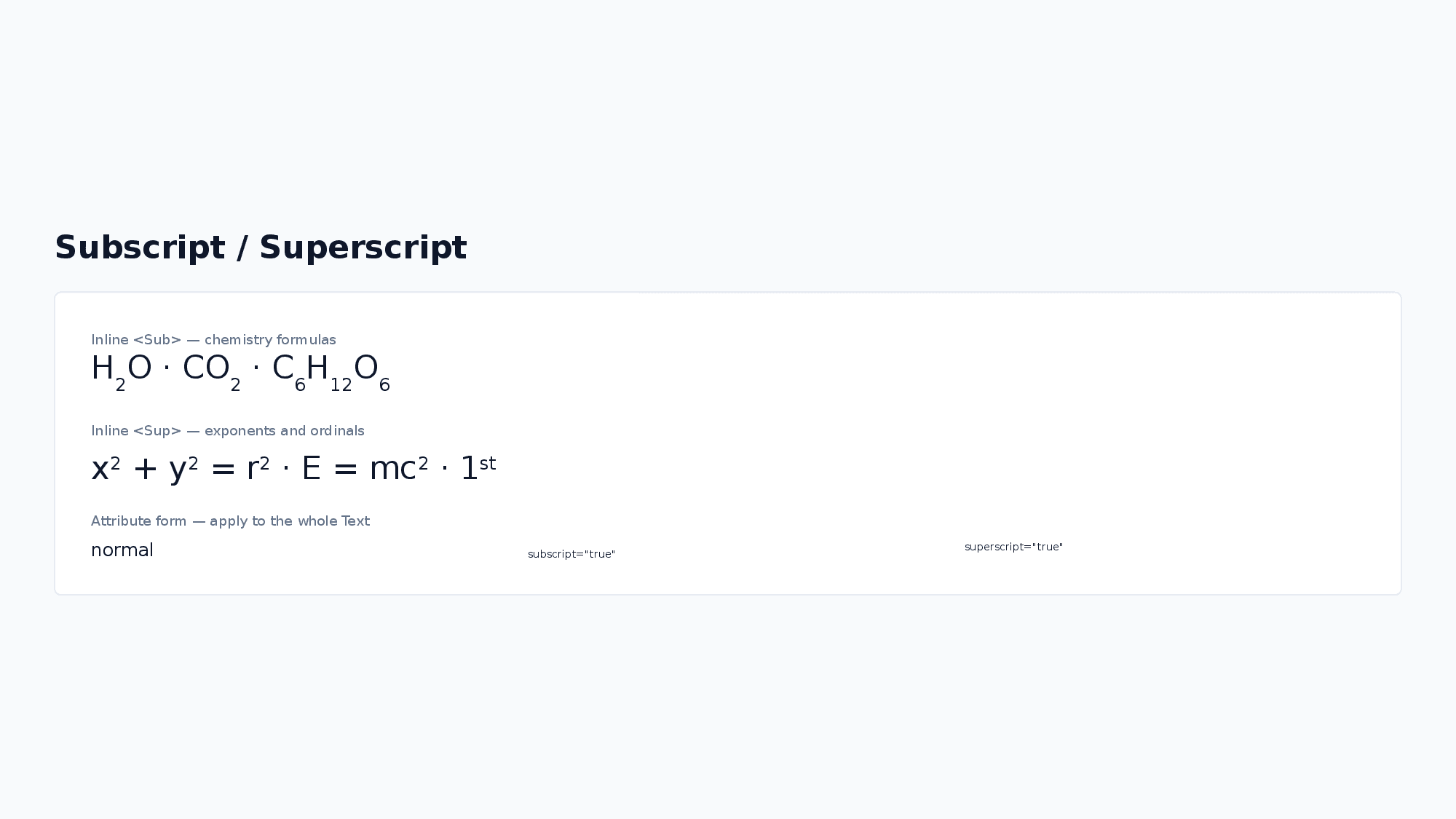
<Text fontSize="16">H<Sub>2</Sub>O and x<Sup>2</Sup> + y<Sup>2</Sup></Text>
<Text fontSize="14" subscript="true">whole text rendered as subscript</Text>
<Text fontSize="14" superscript="true">whole text rendered as superscript</Text>
Letter Spacing:
letterSpacing is specified in px (consistent with other user-facing units such as fontSize) and converted to pt internally for the PPTX output. Layout measurement accounts for the extra width (letterSpacing × character count), so spaced text does not overflow its container.
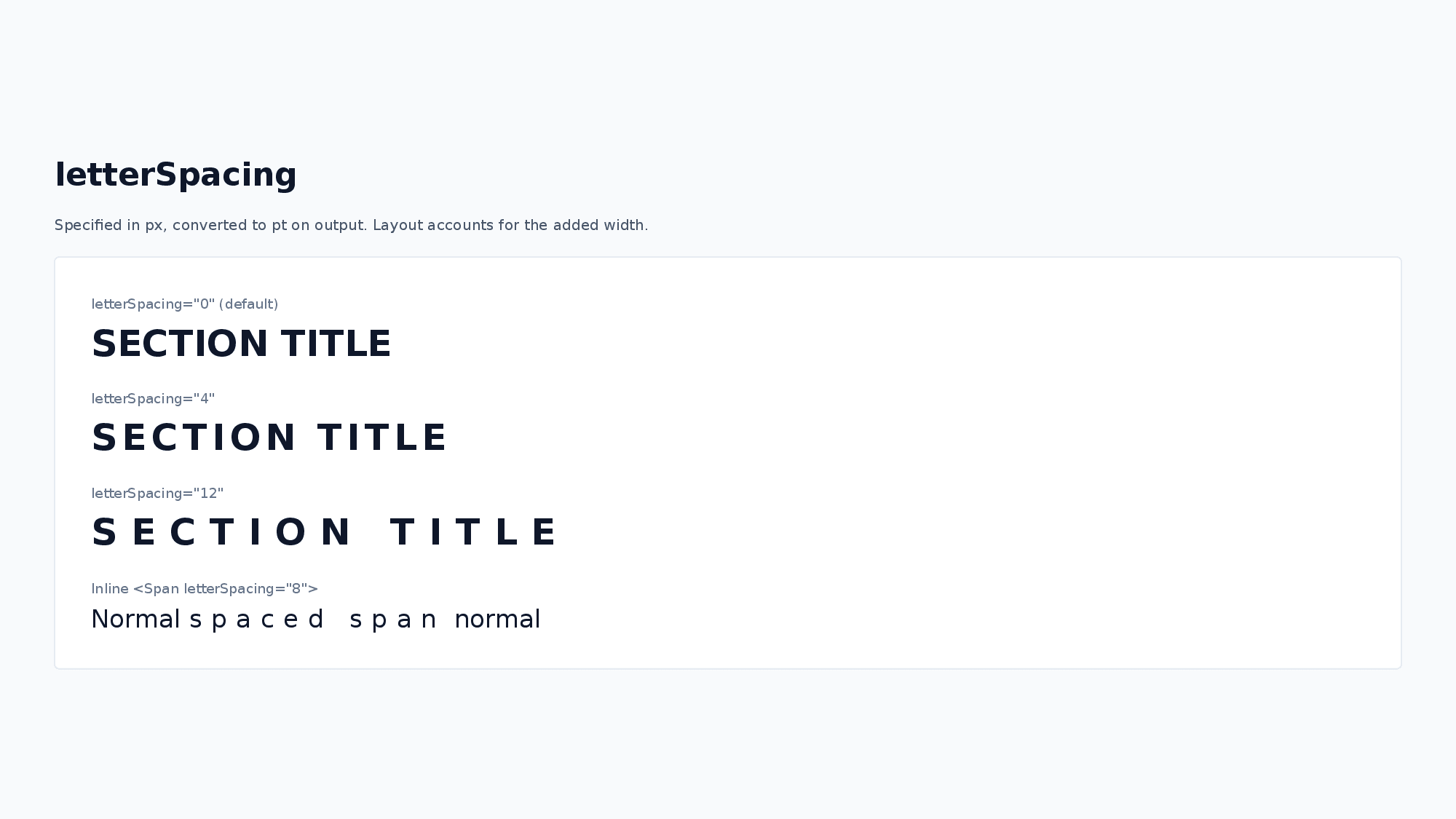
<Text fontSize="32" bold="true" letterSpacing="8">SECTION TITLE</Text>See Styling Guide for recommended font sizes.
Text Effects (glow / outline):
glow adds a glow effect around the characters, and outline draws a border along the character edges. Both are exported as native PowerPoint text effects (editable in PowerPoint, not rasterized). They are useful for keeping titles legible on top of background images.
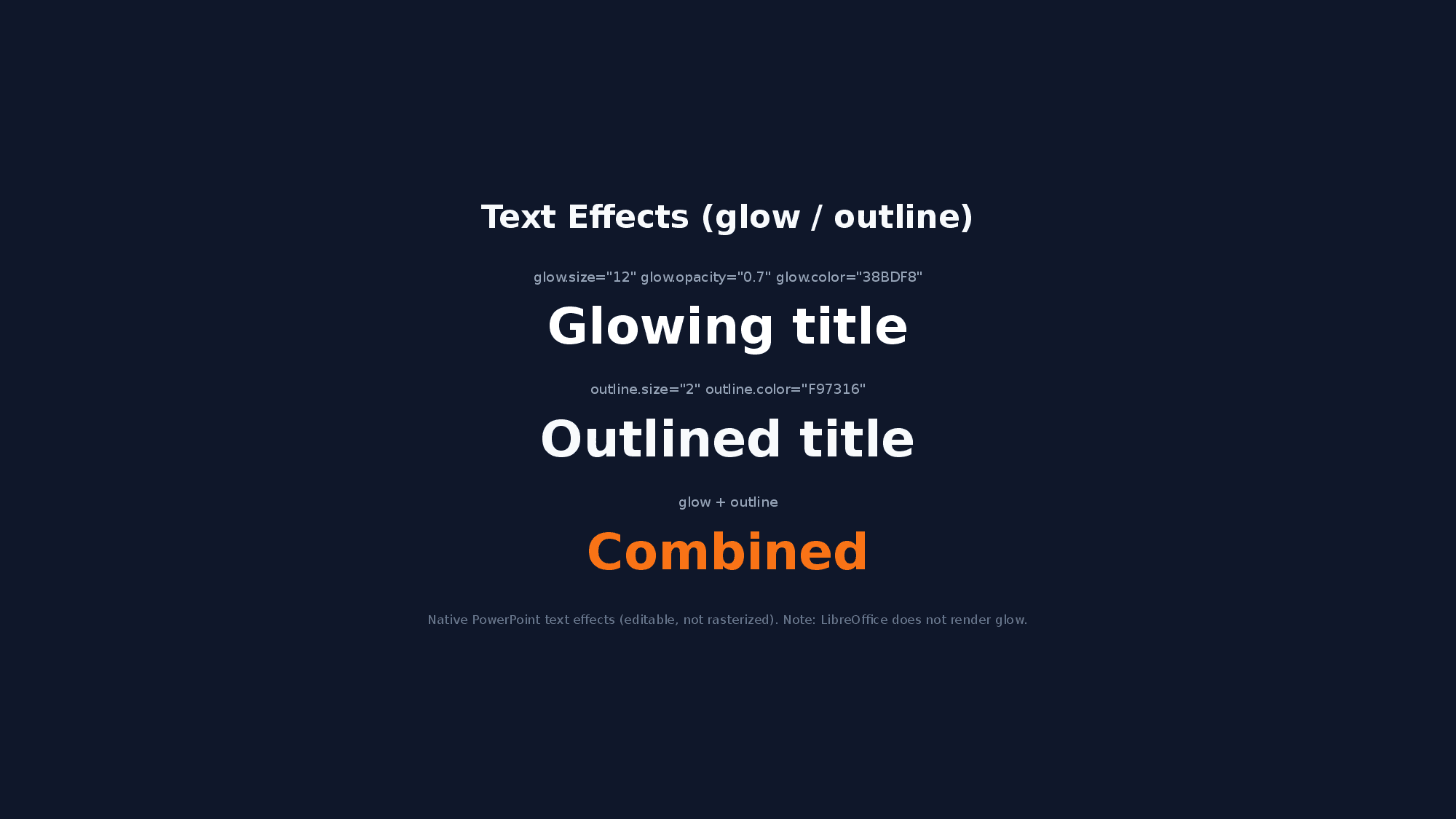
<Text fontSize="40" bold="true" color="FFFFFF" glow.size="8" glow.opacity="0.5" glow.color="1D4ED8">Glowing title</Text>
<Text fontSize="40" bold="true" color="FFFFFF" outline.size="2" outline.color="0F172A">Outlined title</Text>glow.size: glow radius in px (converted to pt on output, default: 8).glow.opacity: 0–1 (default: 0.75).glow.color: hex (default:FFFFFF).outline.size: outline width in px (converted to pt on output, default: 1).outline.color: hex (default:FFFFFF).- Both apply per text node. When inline formatting (
<B>,<Span>, …) is used, the node-level effect applies to all runs. - Note: LibreOffice does not render character glow (outline renders fine); open the PPTX in PowerPoint to see the glow effect.
UnderlineStyle:
"dash" | "dashHeavy" | "dashLong" | "dashLongHeavy" | "dbl" | "dotDash" | "dotDotDash" | "dotted" | "dottedHeavy" | "heavy" | "none" | "sng" | "wavy" | "wavyDbl" | "wavyHeavy"
2. Ul (Unordered List)
A node for displaying bullet-point lists. Use <Li> child elements to define list items.
<Ul fontSize="14" color="333333">
  <Li>Item A</Li>
  <Li>Item B</Li>
  <Li bold="true">Item C (bold)</Li>
</Ul>
Ul Attributes:
| Attribute | Values |
|---|---|
fontSize | number (default: 24) |
color | hex (text color) |
textAlign | left / center / right |
bold italic strike | true / false |
subscript superscript | true / false |
underline | true / underline options |
highlight | hex (highlight color) |
fontFamily | string (default: Noto Sans JP) |
lineHeight | number (default: 1.3) |
Li Attributes (overrides parent Ul/Ol style):
| Attribute | Values |
|---|---|
fontSize | number |
color | hex (text color) |
bold italic strike | true / false |
subscript superscript | true / false |
underline | true / underline options |
highlight | hex (highlight color) |
fontFamily | string |
Li also supports <B>, <I>, <A>, <U>, <S>, <Sub>, <Sup>, <Mark>, and <Span> inline formatting: <Li>Normal <B>bold</B> item</Li>, <Li>See <A href="https://example.com">link</A></Li>, <Li>x<Sup>2</Sup> + y<Sup>2</Sup></Li>, <Li>H<Sub>2</Sub>O</Li>, <Li><Span color="FF0000">red</Span> item</Li>
Line spacing convention:
Ul/Oluse a different line-spacing rule thanText. The rendered row height (and the yoga layout measurement) follows the bundled-font line-height ratio multiplied bylineHeight:measureFontLineHeightRatio × lineHeight × fontSize. In contrast,Text(and the text insideShape) uses a fixed value oflineHeight × fontSizefor both measurement and rendering (PowerPointspcPts). Use the samelineHeightvalue when you want aUlblock and aTextblock to look visually consistent; the absolute pixel values may differ slightly. See Text Measurement — Line Height and Rendering.
3. Ol (Ordered List)
A node for displaying numbered lists. Has all Ul attributes plus the following:
<Ol fontSize="14" numberType="alphaLcPeriod" numberStartAt="3">
  <Li>Item A</Li>
  <Li>Item B</Li>
</Ol>
Additional Ol Attributes:
| Attribute | Values |
|---|---|
numberType | alphaLcPeriod / alphaUcPeriod / arabicParenR / arabicPeriod / arabicPlain / romanLcPeriod / romanUcPeriod etc. |
numberStartAt | number (starting number, default: 1) |
4. Image
A node for displaying images.
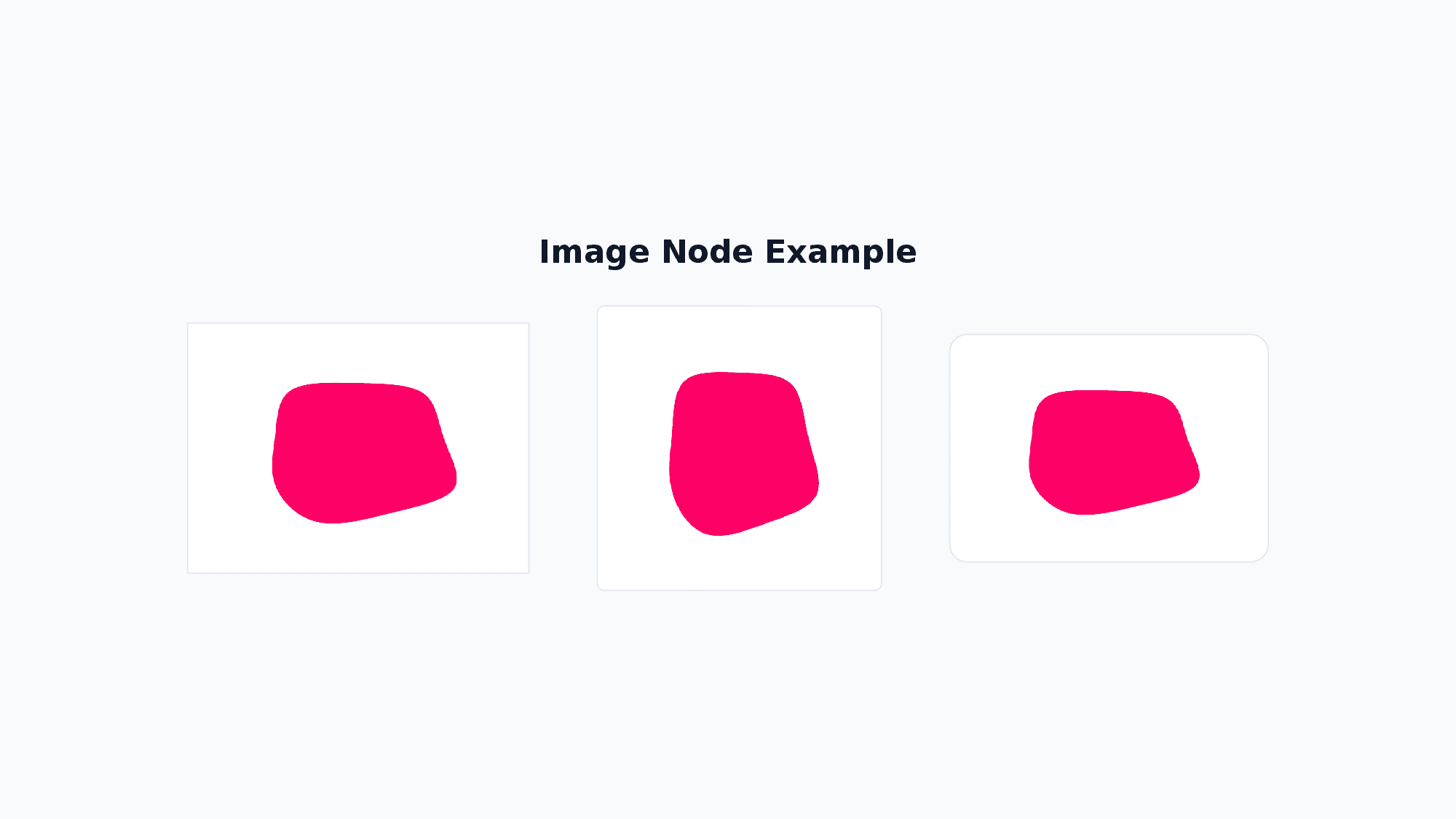
<Image src="https://placehold.co/200x150" w="200" h="150" />| Attribute | Values |
|---|---|
src | string (URL / path / base64) |
sizing | '{"type":"contain"}' / '{"type":"cover"}' / '{"type":"crop","x":0,"y":0,"w":100,"h":100}' |
rotate | number (degrees clockwise, render-only) |
- If
wandhare not specified, the actual image size is automatically used. - If size is specified, the image is displayed at that size (aspect ratio is not preserved).
- Use
sizingto control how the image fits within its bounds:contain: Maintains aspect ratio, fits within the specified sizecover: Maintains aspect ratio, covers the entire specified sizecrop: Crops the image to the specified region
5. Table
A node for drawing tables. Column widths and row heights are declared in px, with fine-grained control over cell decoration.
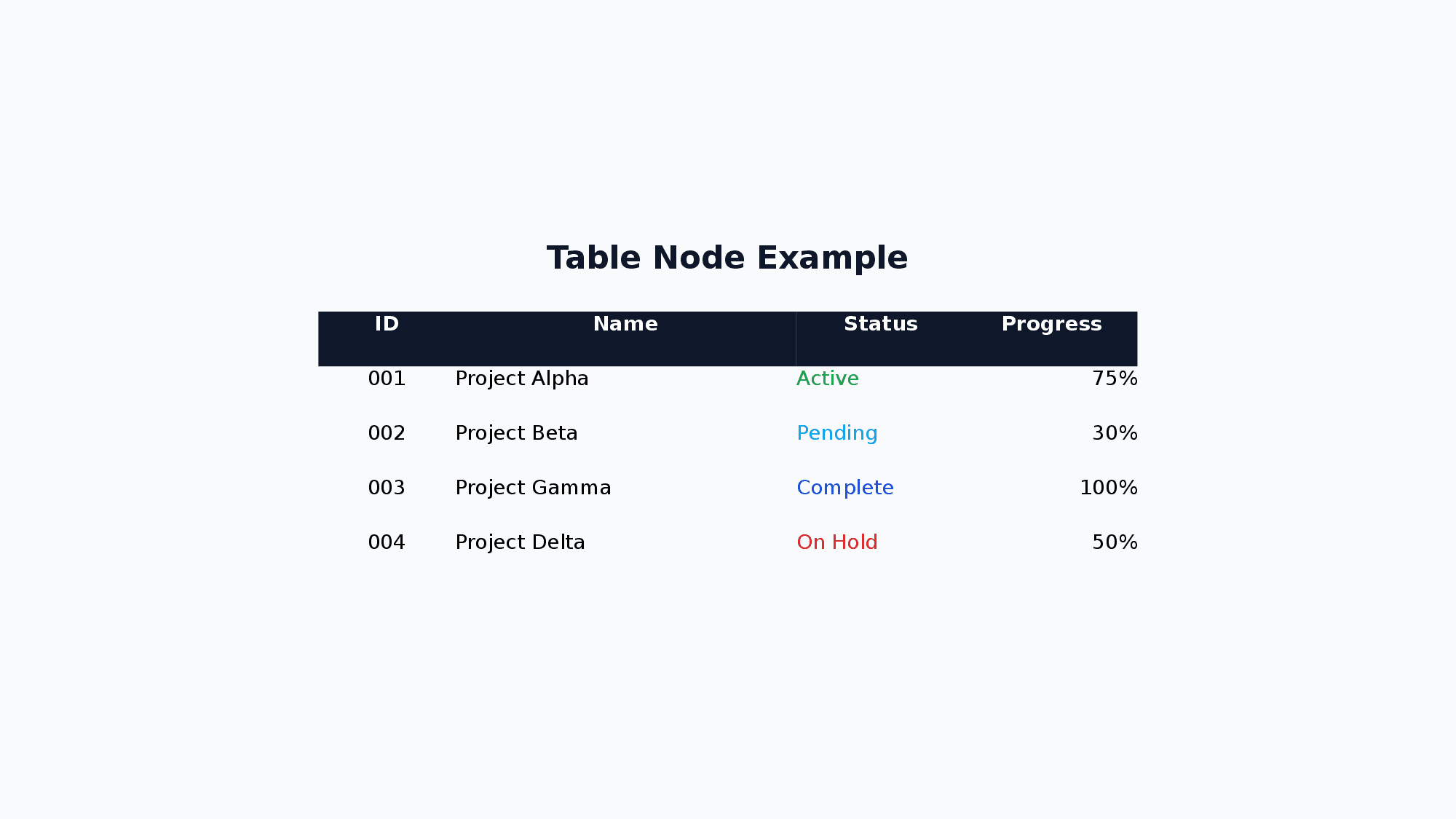
<Table>
  <Col width="200" />
  <Col width="100" />
  <Tr>
    <Td bold="true" backgroundColor="DBEAFE">Name</Td>
    <Td bold="true" backgroundColor="DBEAFE">Score</Td>
  </Tr>
  <Tr>
    <Td>Alice</Td>
    <Td>95</Td>
  </Tr>
</Table><Col>:width(omit for even distribution)<Tr>:height(omit to applydefaultRowHeight, default 32)<Td>: Text content +fontSizecolorbolditalicunderlinestrikesubscriptsuperscripthighlightfontFamilytextAlignbackgroundColorcolspanrowspan. Also supports<B>,<I>,<A>,<U>,<S>,<Sub>,<Sup>,<Mark>, and<Span>inline formatting
| Attribute | Values |
|---|---|
defaultRowHeight | number (default: 32) |
cellBorder | {color, width, dashType} — cell border style |
6. Shape
A node for drawing shapes. Different representations are possible with or without text, supporting complex visual effects.
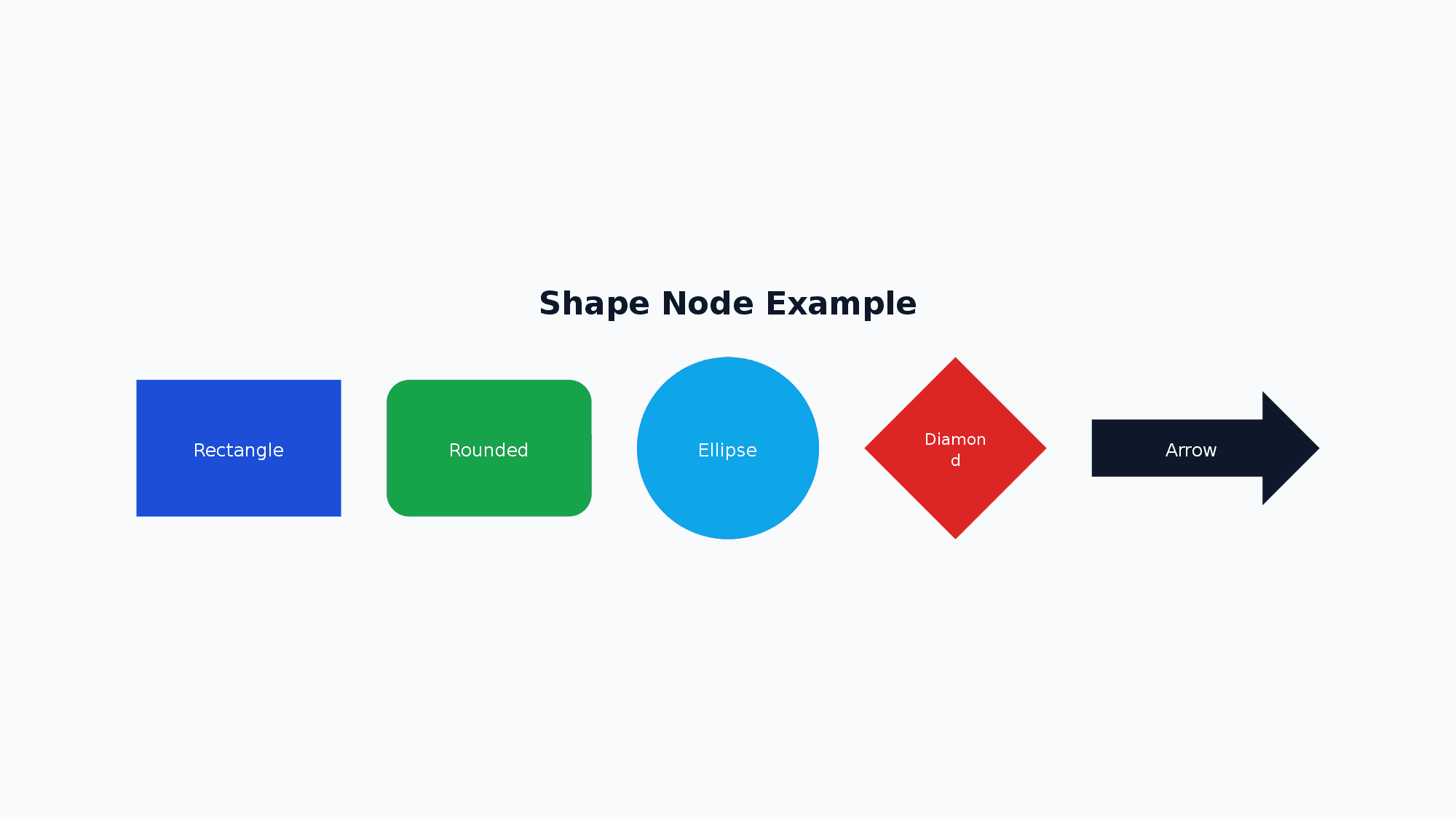
<Shape shapeType="roundRect" w="200" h="60" text="Button" fontSize="16" fill.color="1D4ED8" color="FFFFFF" />| Attribute | Values |
|---|---|
shapeType | Shape type (178 types — see list below) |
text | string (text inside the shape) |
fill | fill.color="hex" fill.transparency="0.5" |
line | line.color="hex" line.width="2" line.dashType="dash" |
outline | outline.size="2" outline.color="0088CC" (alias for line with the same syntax as Text outline; takes precedence over line) |
glow | glow.size="8" glow.opacity="0.5" glow.color="FF3399" — native shape glow (editable in PowerPoint, not rasterized) |
rotate | number (degrees clockwise, render-only) |
| Text attributes | fontSize color textAlign bold italic underline strike subscript superscript highlight fontFamily lineHeight |
Shape Effects (glow / outline):
glow adds a glow effect around the shape edge, and outline is a Text-style alias for line (the underlying border). Both produce native PowerPoint shape effects that remain editable; nothing is rasterized.
<!-- Glowing badge dot -->
<Shape shapeType="ellipse" w="20" h="20" fill.color="3B82F6" glow.size="12" glow.opacity="0.7" glow.color="3B82F6" />
<!-- Outlined pill (outline overrides line if both are specified) -->
<Shape shapeType="roundRect" w="160" h="40" outline.size="3" outline.color="1D4ED8" />glow.size: glow radius in px (converted to EMU on output, default: 8).glow.opacity: 0–1 (default: 0.75).glow.color: hex (default:FFFFFF).outline.size: outline width in px (converted to pt on output, default: 1).outline.color: hex (default:FFFFFF).- When both
lineandoutlineare specified,outlineoverridesline.color/line.width;line.dashTypeis still carried over. - Note: LibreOffice may not render shape glow reliably; open the PPTX in PowerPoint to verify.
Common Shape Types:
roundRect: Rounded rectangle (title boxes, category displays)ellipse: Ellipse/circle (step numbers, badges)cloud: Cloud shape (comments, key points)wedgeRectCallout: Callout with arrow (annotations)cloudCallout: Cloud callout (comments)star5: 5-pointed star (emphasis, decoration)downArrow: Down arrow (flow diagrams)
All Shape Types (178 types)
Basic Shapes:
arc, bevel, blockArc, can, chord, corner, cube, decagon, diagStripe, diamond, dodecagon, donut, ellipse, folderCorner, frame, funnel, halfFrame, heptagon, hexagon, homePlate, nonIsoscelesTrapezoid, octagon, parallelogram, pentagon, pie, pieWedge, plaque, plus, rect, roundRect, rtTriangle, trapezoid, triangle
Rounded & Snipped Rectangles:
round1Rect, round2DiagRect, round2SameRect, snip1Rect, snip2DiagRect, snip2SameRect, snipRoundRect
Arrows:
bentArrow, bentUpArrow, chevron, circularArrow, curvedDownArrow, curvedLeftArrow, curvedRightArrow, curvedUpArrow, downArrow, leftArrow, leftCircularArrow, leftRightArrow, leftRightCircularArrow, leftRightUpArrow, leftUpArrow, notchedRightArrow, quadArrow, rightArrow, stripedRightArrow, swooshArrow, upArrow, upDownArrow, uturnArrow
Arrow Callouts:
downArrowCallout, leftArrowCallout, leftRightArrowCallout, quadArrowCallout, rightArrowCallout, upArrowCallout, upDownArrowCallout
Callouts:
accentBorderCallout1, accentBorderCallout2, accentBorderCallout3, accentCallout1, accentCallout2, accentCallout3, borderCallout1, borderCallout2, borderCallout3, callout1, callout2, callout3, cloudCallout, wedgeEllipseCallout, wedgeRectCallout, wedgeRoundRectCallout
Stars & Banners:
doubleWave, ellipseRibbon, ellipseRibbon2, horizontalScroll, irregularSeal1, irregularSeal2, leftRightRibbon, ribbon, ribbon2, star4, star5, star6, star7, star8, star10, star12, star16, star24, star32, verticalScroll, wave
Flowchart:
flowChartAlternateProcess, flowChartCollate, flowChartConnector, flowChartDecision, flowChartDelay, flowChartDisplay, flowChartDocument, flowChartExtract, flowChartInputOutput, flowChartInternalStorage, flowChartMagneticDisk, flowChartMagneticDrum, flowChartMagneticTape, flowChartManualInput, flowChartManualOperation, flowChartMerge, flowChartMultidocument, flowChartOfflineStorage, flowChartOffpageConnector, flowChartOnlineStorage, flowChartOr, flowChartPredefinedProcess, flowChartPreparation, flowChartProcess, flowChartPunchedCard, flowChartPunchedTape, flowChartSort, flowChartSummingJunction, flowChartTerminator
Action Buttons:
actionButtonBackPrevious, actionButtonBeginning, actionButtonBlank, actionButtonDocument, actionButtonEnd, actionButtonForwardNext, actionButtonHelp, actionButtonHome, actionButtonInformation, actionButtonMovie, actionButtonReturn, actionButtonSound
Brackets & Braces:
bracePair, bracketPair, leftBrace, leftBracket, rightBrace, rightBracket
Math Symbols:
mathDivide, mathEqual, mathMinus, mathMultiply, mathNotEqual, mathPlus
Others:
chartPlus, chartStar, chartX, cloud, cornerTabs, gear6, gear9, heart, lightningBolt, line, lineInv, moon, noSmoking, plaqueTabs, smileyFace, squareTabs, sun, teardrop
7. VStack
Arranges child elements vertically.
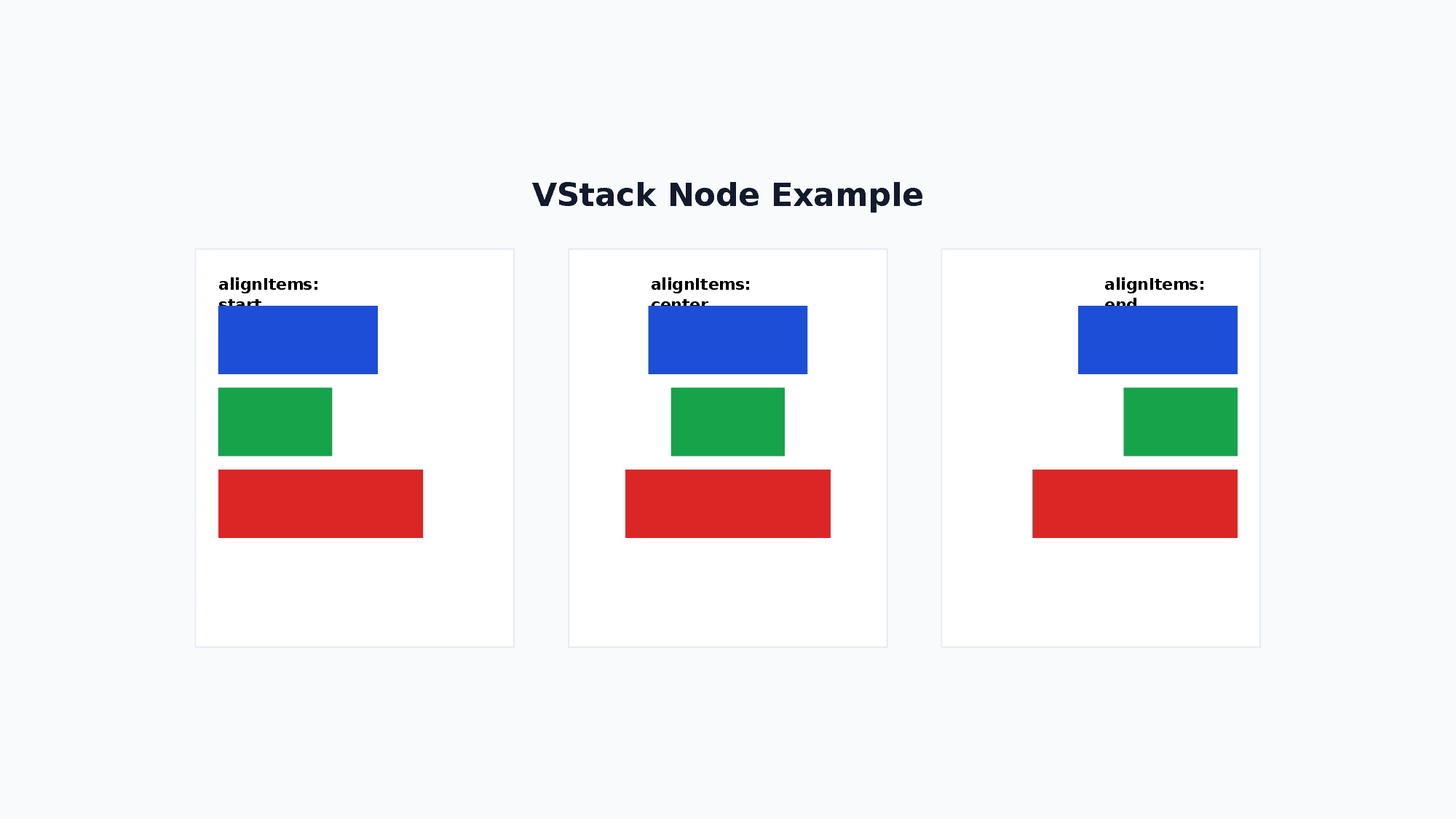
<VStack gap="16" alignItems="stretch" justifyContent="start">
  <Text>A</Text>
  <Text>B</Text>
</VStack>| Attribute | Values |
|---|---|
gap | number (gap between children) |
alignItems | start / center / end / stretch |
justifyContent | start / center / end / spaceBetween / spaceAround / spaceEvenly |
flexWrap | nowrap / wrap / wrapReverse |
Note: Child elements of VStack have
flexShrink=1by default (same as CSS Flexbox), so percentage-based heights combined withgapwill shrink automatically to fit within the parent.
Tip: An empty
<VStack />renders nothing and can be used as a transparent spacer. Combined withgrow="1", it works like CSS<div style="flex:1"></div>to push siblings apart.<VStack h="300"> <Text>Top</Text> <VStack grow="1" /> <Text>Bottom</Text> </VStack>
8. HStack
Arranges child elements horizontally.
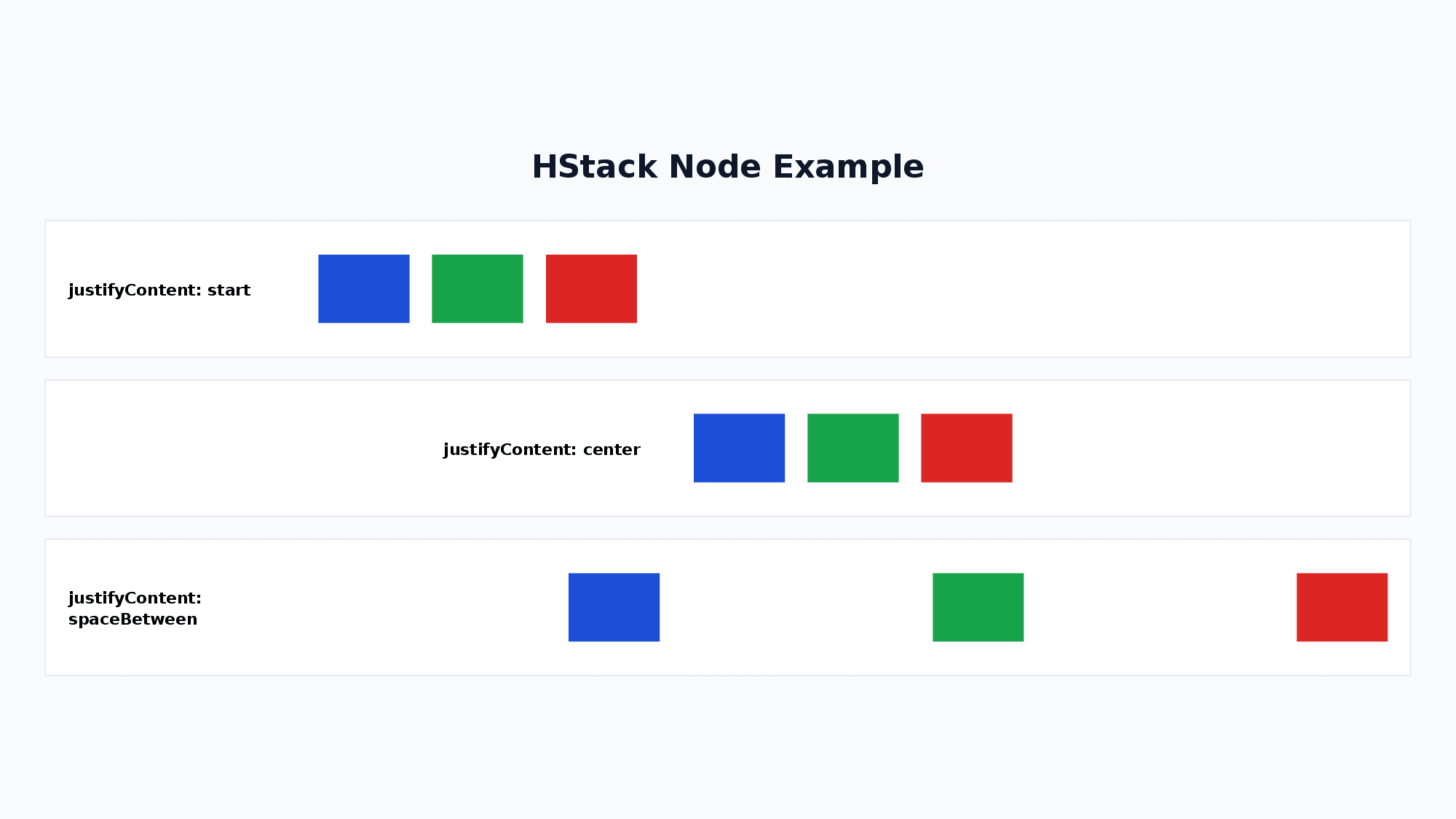
<HStack gap="16" alignItems="center" justifyContent="start">
  <Text>A</Text>
  <Text>B</Text>
</HStack>| Attribute | Values |
|---|---|
gap | number (gap between children) |
alignItems | start / center / end / stretch |
justifyContent | start / center / end / spaceBetween / spaceAround / spaceEvenly |
flexWrap | nowrap / wrap / wrapReverse |
Note: Child elements of HStack have
flexShrink=1by default (same as CSS Flexbox), so percentage-based widths combined withgapwill shrink automatically to fit within the parent.
Tip: An empty
<HStack />renders nothing and can be used as a transparent spacer. Combined withgrow="1", it works like CSS<div style="flex:1"></div>to push siblings apart.<HStack w="600"> <Text>Left</Text> <HStack grow="1" /> <Text>Right</Text> </HStack>
9. Chart
A node for drawing charts. Supports bar charts, line charts, pie charts, area charts, doughnut charts, and radar charts.
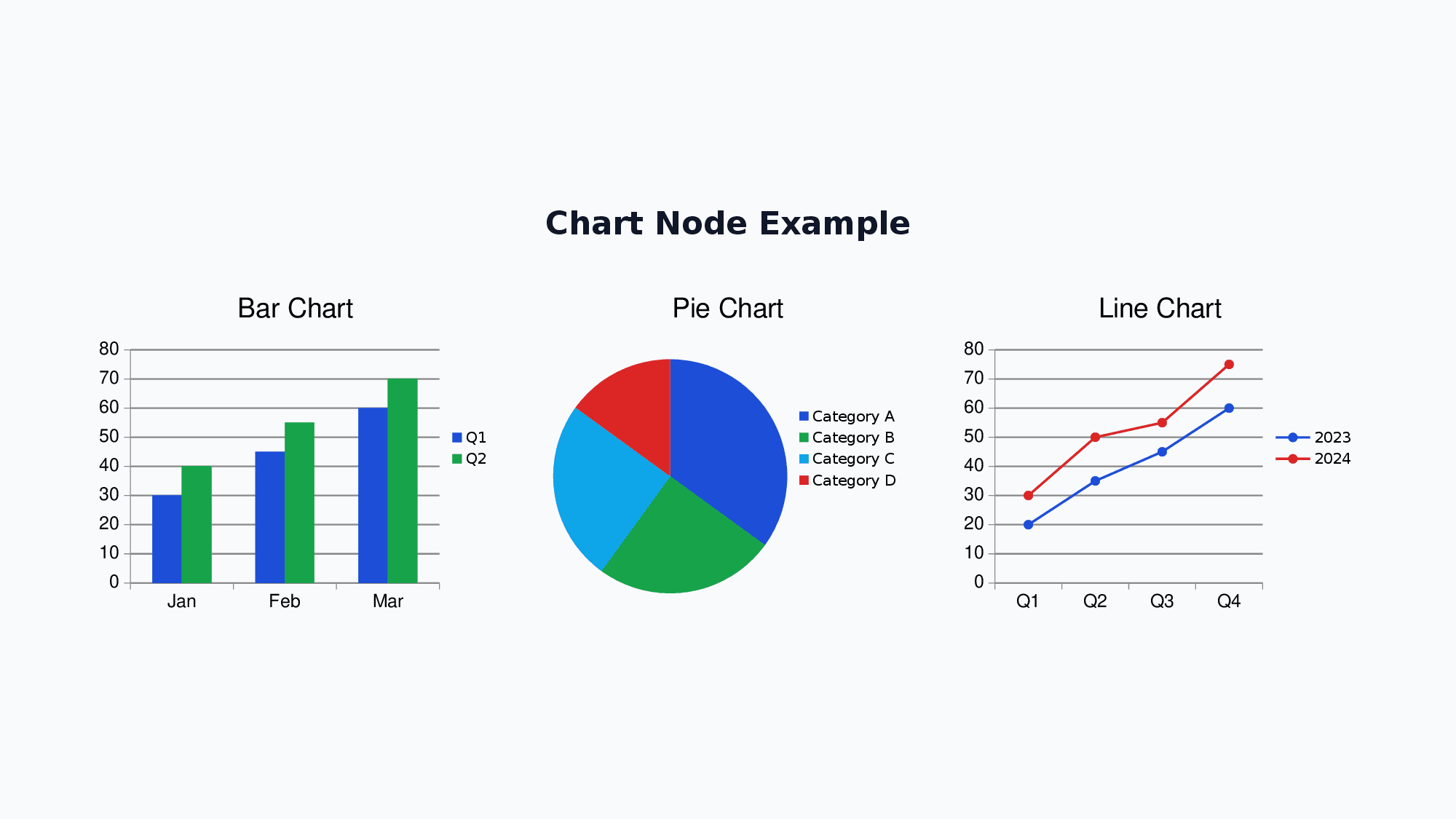
<Chart chartType="bar" w="500" h="300" showLegend="true" chartColors='["0088CC","00AA00"]'>
  <ChartSeries name="Sales">
    <ChartDataPoint label="Jan" value="100" />
    <ChartDataPoint label="Feb" value="150" />
  </ChartSeries>
</Chart>| Attribute | Values |
|---|---|
chartType | bar / line / pie / area / doughnut / radar |
showLegend | boolean |
showTitle | boolean |
title | string |
chartColors | JSON array '["hex1","hex2"]' |
radarStyle | standard / marker / filled (radar only) |
sparkline | boolean — hides legend / axes / gridlines / margins for compact display (bar / line / area, e.g. h=40) |
Usage Examples:
<!-- Bar chart -->
<Chart chartType="bar" w="600" h="400" showLegend="true" showTitle="true"
title="Monthly Sales & Profit" chartColors='["0088CC","00AA00"]'>
<ChartSeries name="Sales">
<ChartDataPoint label="Jan" value="100" />
<ChartDataPoint label="Feb" value="200" />
<ChartDataPoint label="Mar" value="150" />
<ChartDataPoint label="Apr" value="300" />
</ChartSeries>
<ChartSeries name="Profit">
<ChartDataPoint label="Jan" value="30" />
<ChartDataPoint label="Feb" value="60" />
<ChartDataPoint label="Mar" value="45" />
<ChartDataPoint label="Apr" value="90" />
</ChartSeries>
</Chart>
<!-- Pie chart -->
<Chart chartType="pie" w="400" h="300" showLegend="true"
chartColors='["0088CC","00AA00","FF6600","888888"]'>
<ChartSeries name="Market Share">
<ChartDataPoint label="Product A" value="40" />
<ChartDataPoint label="Product B" value="30" />
<ChartDataPoint label="Product C" value="20" />
<ChartDataPoint label="Others" value="10" />
</ChartSeries>
</Chart>
<!-- Radar chart -->
<Chart chartType="radar" w="400" h="300" showLegend="true"
radarStyle="filled" chartColors='["0088CC"]'>
<ChartSeries name="Skill Assessment">
<ChartDataPoint label="Technical" value="80" />
<ChartDataPoint label="Design" value="60" />
<ChartDataPoint label="PM" value="70" />
<ChartDataPoint label="Sales" value="50" />
<ChartDataPoint label="Support" value="90" />
</ChartSeries>
</Chart>
<!-- Sparkline (compact h=40 inline chart with no chrome) -->
<Chart chartType="bar" w="200" h="40" sparkline="true" chartColors='["0088CC"]'>
<ChartSeries name="Sales">
<ChartDataPoint label="Q1" value="100" />
<ChartDataPoint label="Q2" value="200" />
<ChartDataPoint label="Q3" value="150" />
<ChartDataPoint label="Q4" value="300" />
</ChartSeries>
</Chart>Sparkline mode (
sparkline="true"): hides legend / axis titles / axis labels / gridlines / margins and stretches the plot area to fill the chart bounds. Designed for small inline charts (e.g.h=40) inside KPI tiles. Works best withbar/line/area.
10. Timeline
A node for creating timeline/roadmap visualizations. Supports horizontal and vertical layouts.
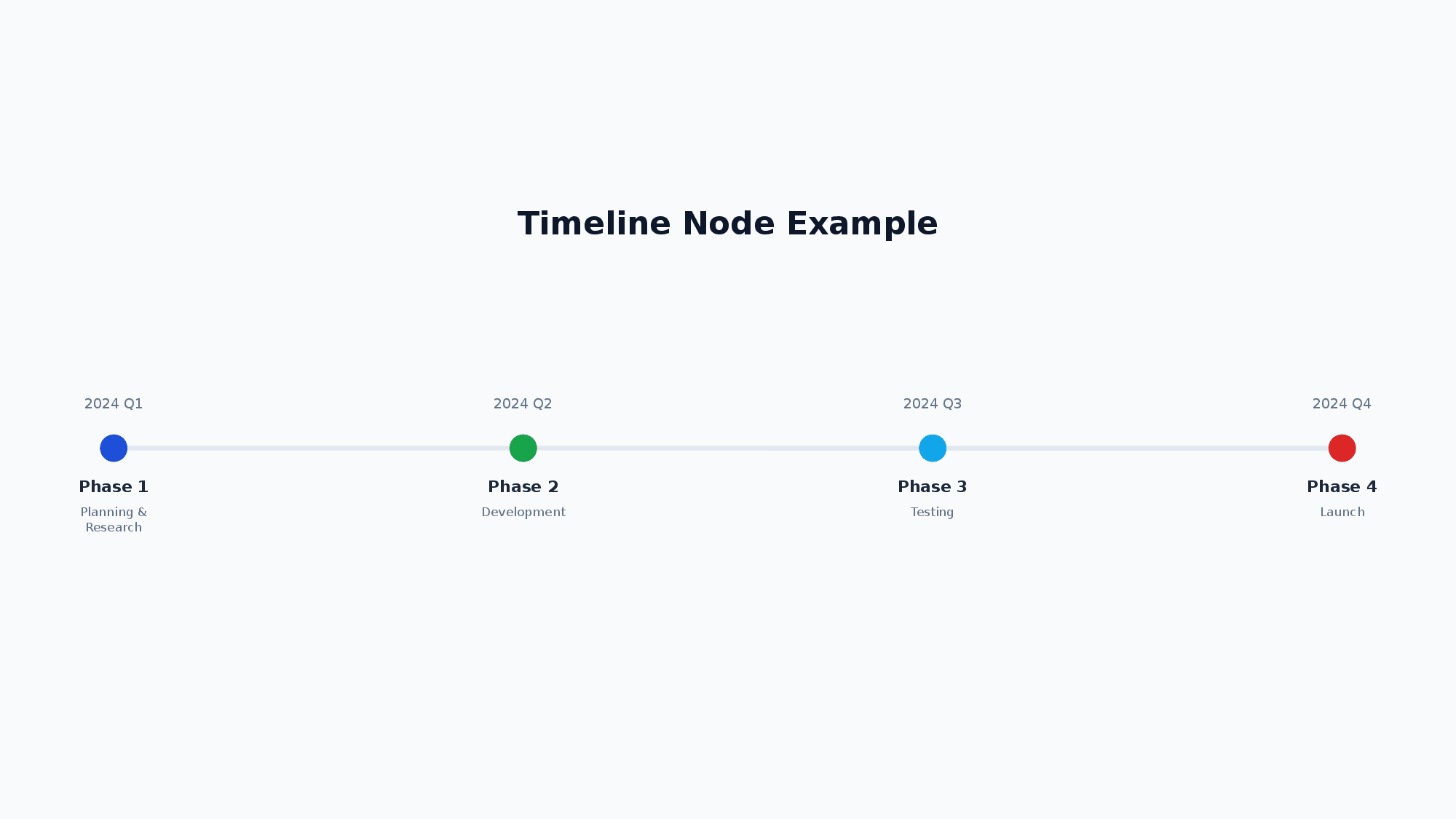
<Timeline direction="horizontal" w="1000" h="120">
  <TimelineItem date="Q1" title="Phase 1" description="Foundation" color="4CAF50" />
  <TimelineItem date="Q2" title="Phase 2" description="Development" color="2196F3" />
</Timeline>| Attribute | Values |
|---|---|
direction | horizontal / vertical |
dateColor | hex (date text color, default: 64748B) |
titleColor | hex (title text color, default: 1E293B) |
descriptionColor | hex (description text color, default: 64748B) |
connectorColor | hex (axis line color, default: E2E8F0) |
connectorGradient | linear-gradient(<angle>deg, <color> <pos>%, ...) — applies a linear gradient to the connector line |
useColorForDate | true / false — when true, each item’s date text uses that item’s color (default: false) |
fontFamily | font family name applied to all text (date / title / description). default: Noto Sans JP |
<TimelineItem>: date (required) title (required) description color dateColor
dateColor(per-item) overrides bothTimeline.dateColoranduseColorForDate.fontFamilychanges the rendered font face only. Internal layout measurement still assumes the default label sizes (the bundled Noto Sans JP metrics), so very wide / very tall fonts may overflow within the samew/h. Pick a largerw/hif labels clip.
Usage Examples:
<!-- Horizontal roadmap -->
<Timeline direction="horizontal" w="1000" h="120">
  <TimelineItem date="2025/Q1" title="Phase 1" description="Foundation" color="4CAF50" />
  <TimelineItem date="2025/Q2" title="Phase 2" description="Development" color="2196F3" />
  <TimelineItem date="2025/Q3" title="Phase 3" description="Testing" color="FF9800" />
  <TimelineItem date="2025/Q4" title="Phase 4" description="Release" color="E91E63" />
</Timeline>

<!-- Vertical project plan -->
<Timeline direction="vertical" w="400" h="300">
  <TimelineItem date="Week 1" title="Planning" />
  <TimelineItem date="Week 2-3" title="Development" />
  <TimelineItem date="Week 4" title="Release" />
</Timeline>
11. Matrix
A node for creating 2x2 matrix/positioning maps. Commonly used for cost-effectiveness analysis, impact-effort prioritization, etc.
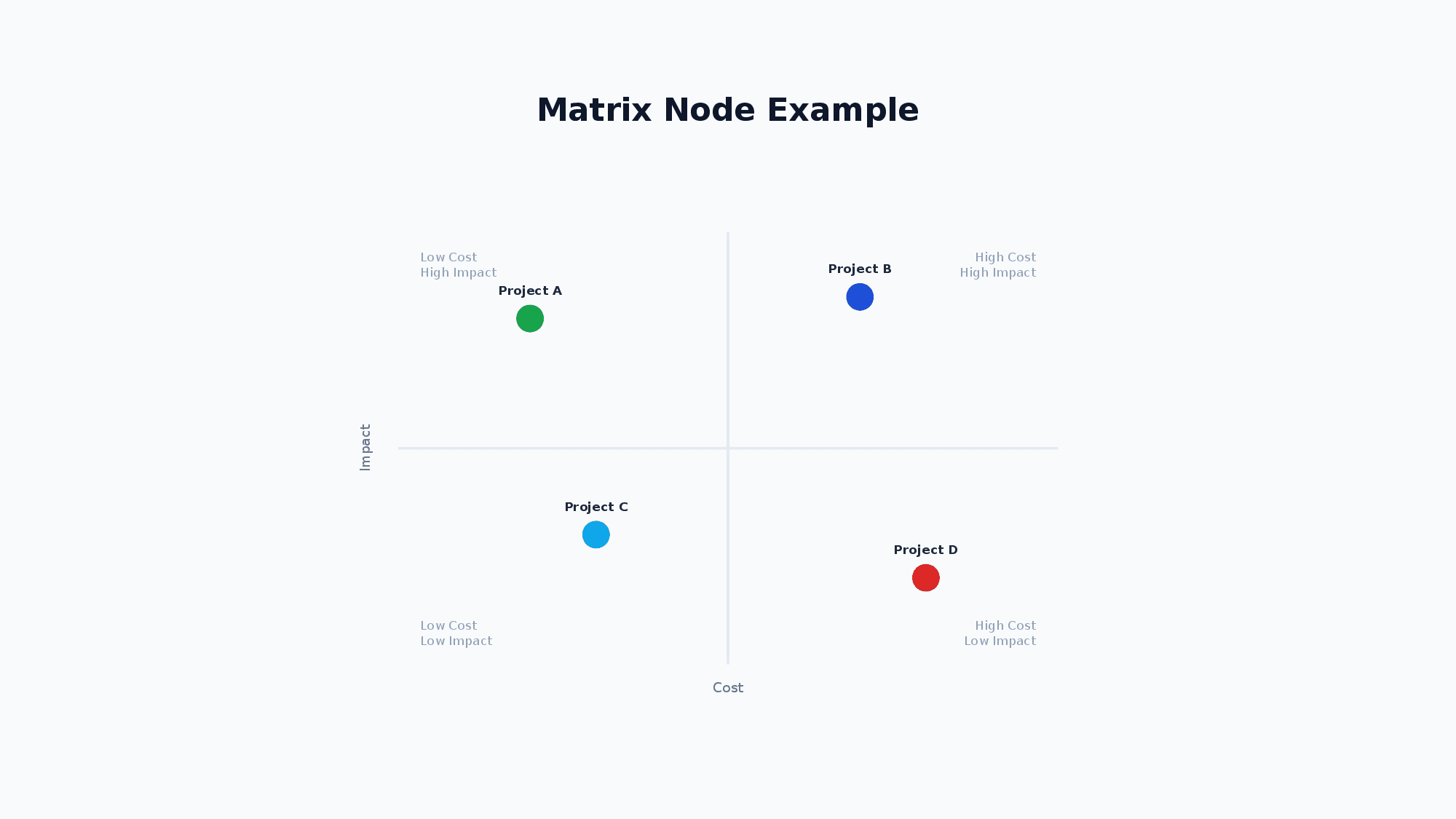
<Matrix w="600" h="500">
  <MatrixAxes x="Cost" y="Effect" />
  <MatrixQuadrants topLeft="Quick Wins" topRight="Strategic" bottomLeft="Low Priority" bottomRight="Avoid" />
  <MatrixItem label="Initiative A" x="0.2" y="0.8" color="4CAF50" />
  <MatrixItem label="Initiative B" x="0.7" y="0.6" />
</Matrix>- Coordinates: (0,0)=bottom-left, (1,1)=top-right (mathematical coordinate system)
<Matrix>:axisLabelColor(default64748B)quadrantLabelColor(default94A3B8)itemLabelColor(default1E293B) — text colors<MatrixAxes>:xy(axis labels, required)<MatrixQuadrants>:topLefttopRightbottomLeftbottomRight<MatrixItem>:labelxy(required)colortextColor(overridesitemLabelColor)
Usage Examples:
<!-- Cost-Effectiveness Matrix -->
<Matrix w="600" h="500">
  <MatrixAxes x="Cost" y="Effect" />
  <MatrixQuadrants
    topLeft="Low Cost / High Effect (Priority)"
    topRight="High Cost / High Effect (Consider)"
    bottomLeft="Low Cost / Low Effect (Low Priority)"
    bottomRight="High Cost / Low Effect (Avoid)" />
  <MatrixItem label="Initiative A" x="0.2" y="0.8" color="4CAF50" />
  <MatrixItem label="Initiative B" x="0.7" y="0.6" color="2196F3" />
  <MatrixItem label="Initiative C" x="0.3" y="0.3" color="FF9800" />
  <MatrixItem label="Initiative D" x="0.8" y="0.2" color="E91E63" />
</Matrix>

<!-- Simple Impact-Effort Matrix (without quadrant labels) -->
<Matrix w="500" h="400">
  <MatrixAxes x="Effort" y="Impact" />
  <MatrixItem label="Quick Win" x="0.15" y="0.85" />
  <MatrixItem label="Major Project" x="0.75" y="0.75" />
  <MatrixItem label="Fill-In" x="0.25" y="0.25" />
  <MatrixItem label="Time Sink" x="0.85" y="0.15" />
</Matrix>
12. Tree
A node for creating tree structures such as organization charts, decision trees, and hierarchical diagrams.
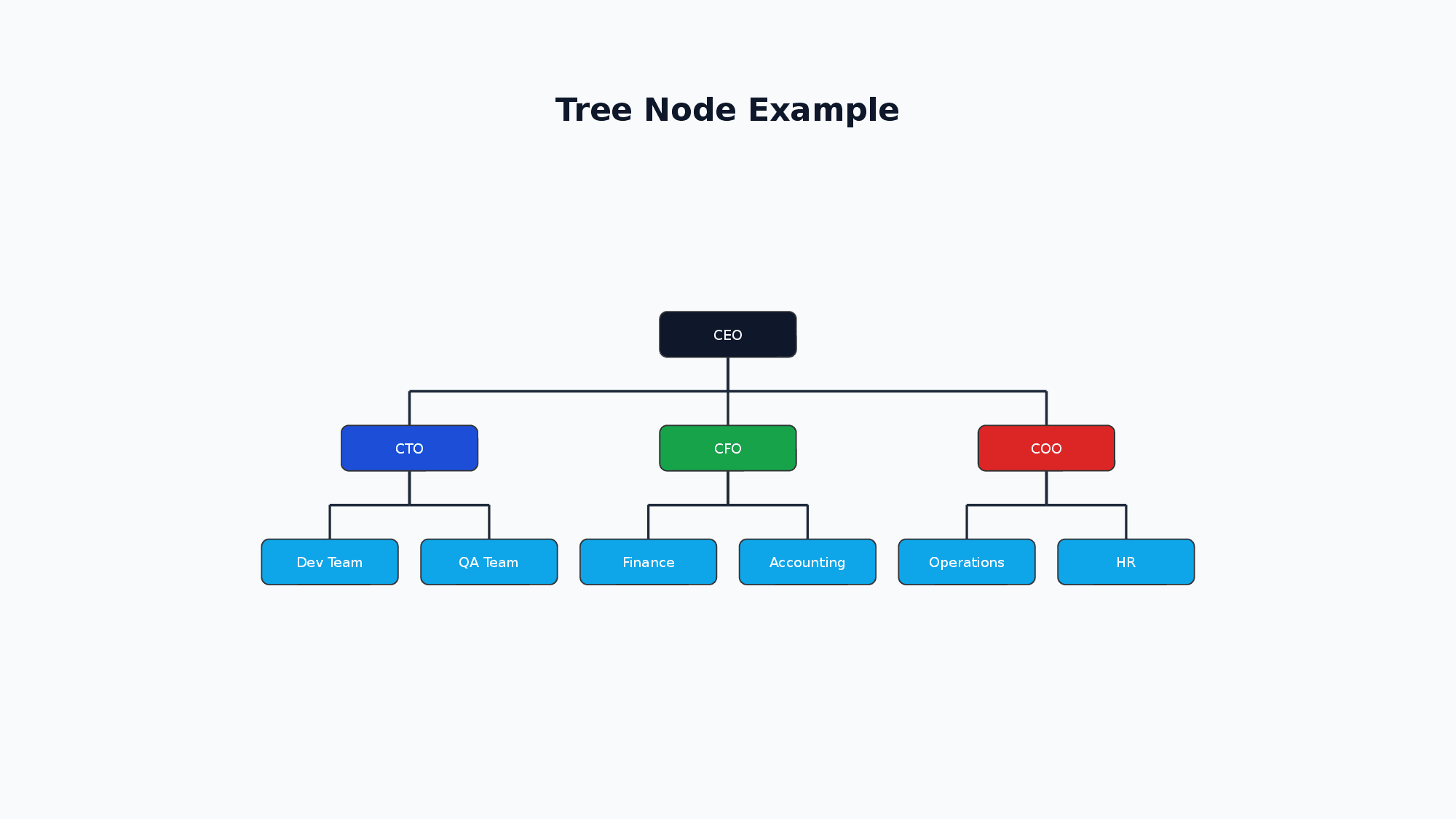
<Tree layout="vertical" nodeShape="roundRect" w="600" h="400">
  <TreeItem label="CEO" color="1D4ED8">
    <TreeItem label="CTO" color="0EA5E9">
      <TreeItem label="Engineer A" />
    </TreeItem>
    <TreeItem label="CFO" color="16A34A" />
  </TreeItem>
</Tree>| Attribute | Values |
|---|---|
layout | vertical / horizontal |
nodeShape | rect / roundRect / ellipse |
textColor | hex (node label text color, default: FFFFFF) |
nodeWidth | number (default: 120) |
nodeHeight | number (default: 40) |
levelGap | number (default: 60) |
siblingGap | number (default: 20) |
connectorStyle | connectorStyle.color="333" connectorStyle.width="2" |
<TreeItem> can be nested recursively. The root must have exactly one <TreeItem>. Attributes: label (required) color textColor (overrides the Tree-level textColor).
Usage Examples:
<!-- Vertical Organization Chart -->
<Tree layout="vertical" nodeShape="roundRect" w="600" h="400"
  connectorStyle.color="333333" connectorStyle.width="2">
  <TreeItem label="CEO" color="1D4ED8">
    <TreeItem label="CTO" color="0EA5E9">
      <TreeItem label="Engineer A" />
      <TreeItem label="Engineer B" />
    </TreeItem>
    <TreeItem label="CFO" color="16A34A">
      <TreeItem label="Accountant" />
    </TreeItem>
  </TreeItem>
</Tree>

<!-- Horizontal Decision Tree -->
<Tree layout="horizontal" nodeShape="rect" w="600" h="300">
  <TreeItem label="Start">
    <TreeItem label="Option A">
      <TreeItem label="Result 1" />
      <TreeItem label="Result 2" />
    </TreeItem>
    <TreeItem label="Option B">
      <TreeItem label="Result 3" />
    </TreeItem>
  </TreeItem>
</Tree>
13. Flow
A node for creating flowcharts. Supports various node shapes and automatic layout.
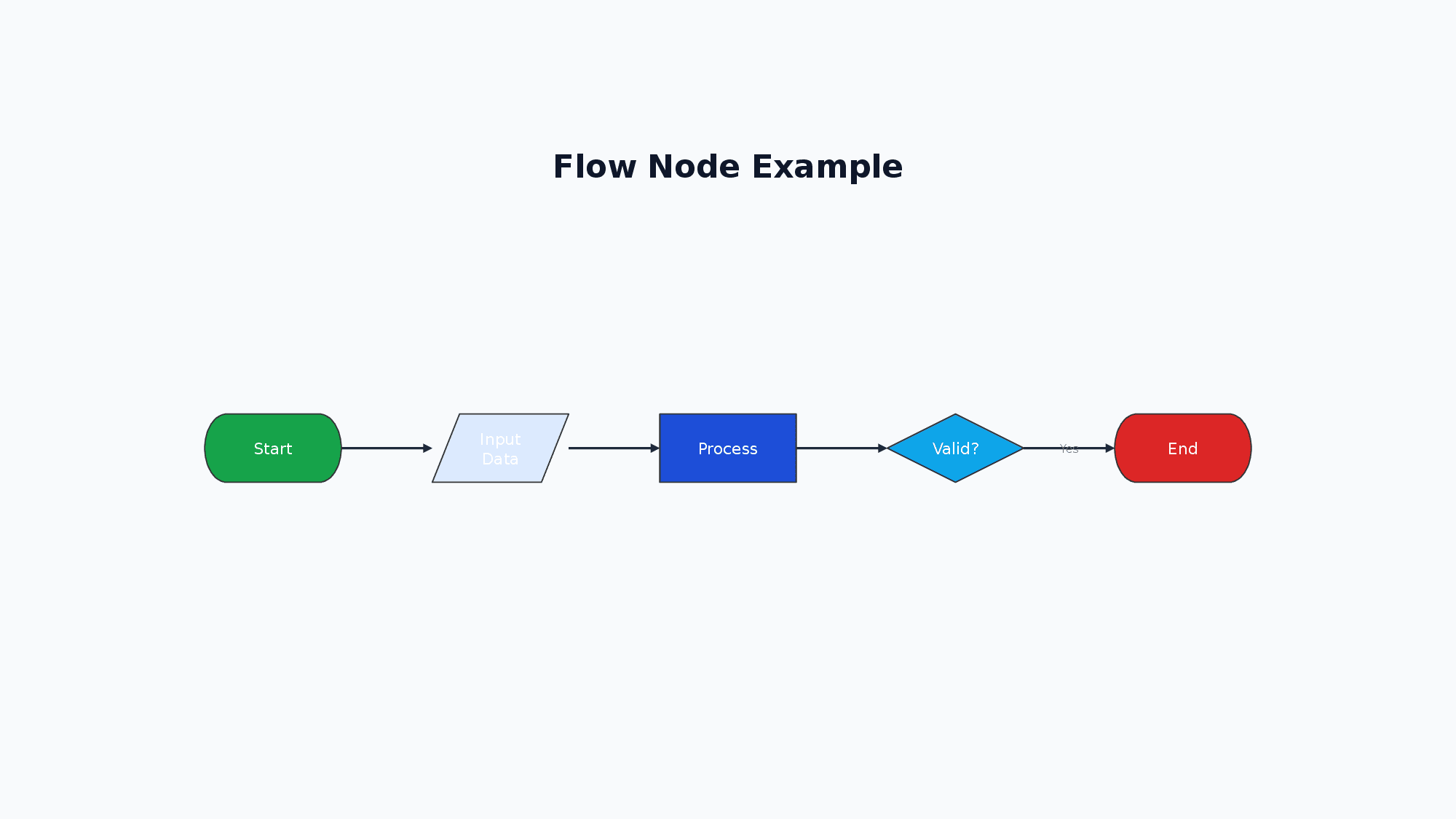
<Flow direction="horizontal" w="500" h="300">
  <FlowNode id="start" shape="flowChartTerminator" text="Start" color="4CAF50" />
  <FlowNode id="process" shape="flowChartProcess" text="Process" />
  <FlowNode id="decision" shape="flowChartDecision" text="OK?" color="FF9800" />
  <FlowNode id="end" shape="flowChartTerminator" text="End" color="E91E63" />
  <FlowConnection from="start" to="process" />
  <FlowConnection from="process" to="decision" />
  <FlowConnection from="decision" to="end" label="Yes" />
</Flow>| Attribute | Values |
|---|---|
direction | horizontal / vertical |
nodeWidth | number (default: 120) |
nodeHeight | number (default: 60) |
nodeGap | number (default: 80) |
connectorStyle | connectorStyle.color="hex" connectorStyle.width="2" connectorStyle.arrowType="arrow" connectorStyle.labelColor="hex" |
<FlowNode> attributes:
| Attribute | Values |
|---|---|
id | string (required) — unique node identifier |
shape | flowChartTerminator / flowChartProcess / flowChartDecision / flowChartInputOutput / flowChartDocument / flowChartPredefinedProcess / flowChartConnector / flowChartPreparation / flowChartManualInput / flowChartManualOperation / flowChartDelay / flowChartMagneticDisk |
text | string (required) — display text |
color | hex color (e.g. "4CAF50") — node fill color |
textColor | hex color (e.g. "FFFFFF") — text color |
width | number — individual node width (overrides nodeWidth) |
height | number — individual node height (overrides nodeHeight) |
<FlowConnection>: from to (required) label color labelColor (label text color; overrides connectorStyle.labelColor, default: 64748B)
Usage Examples:
<!-- Simple vertical flowchart -->
<Flow direction="vertical" w="400" h="300">
  <FlowNode id="start" shape="flowChartTerminator" text="Start" color="4CAF50" />
  <FlowNode id="process" shape="flowChartProcess" text="Process" />
  <FlowNode id="decision" shape="flowChartDecision" text="OK?" color="FF9800" />
  <FlowNode id="end" shape="flowChartTerminator" text="End" color="E91E63" />
  <FlowConnection from="start" to="process" />
  <FlowConnection from="process" to="decision" />
  <FlowConnection from="decision" to="end" label="Yes" />
</Flow>

<!-- Horizontal flowchart -->
<Flow direction="horizontal" w="600" h="200">
  <FlowNode id="input" shape="flowChartInputOutput" text="Input" />
  <FlowNode id="validate" shape="flowChartProcess" text="Validate" />
  <FlowNode id="save" shape="flowChartProcess" text="Save" />
  <FlowNode id="output" shape="flowChartInputOutput" text="Output" />
  <FlowConnection from="input" to="validate" />
  <FlowConnection from="validate" to="save" />
  <FlowConnection from="save" to="output" />
</Flow>
14. ProcessArrow
A node for creating chevron-style process diagrams. Commonly used for visualizing sequential steps in a workflow.
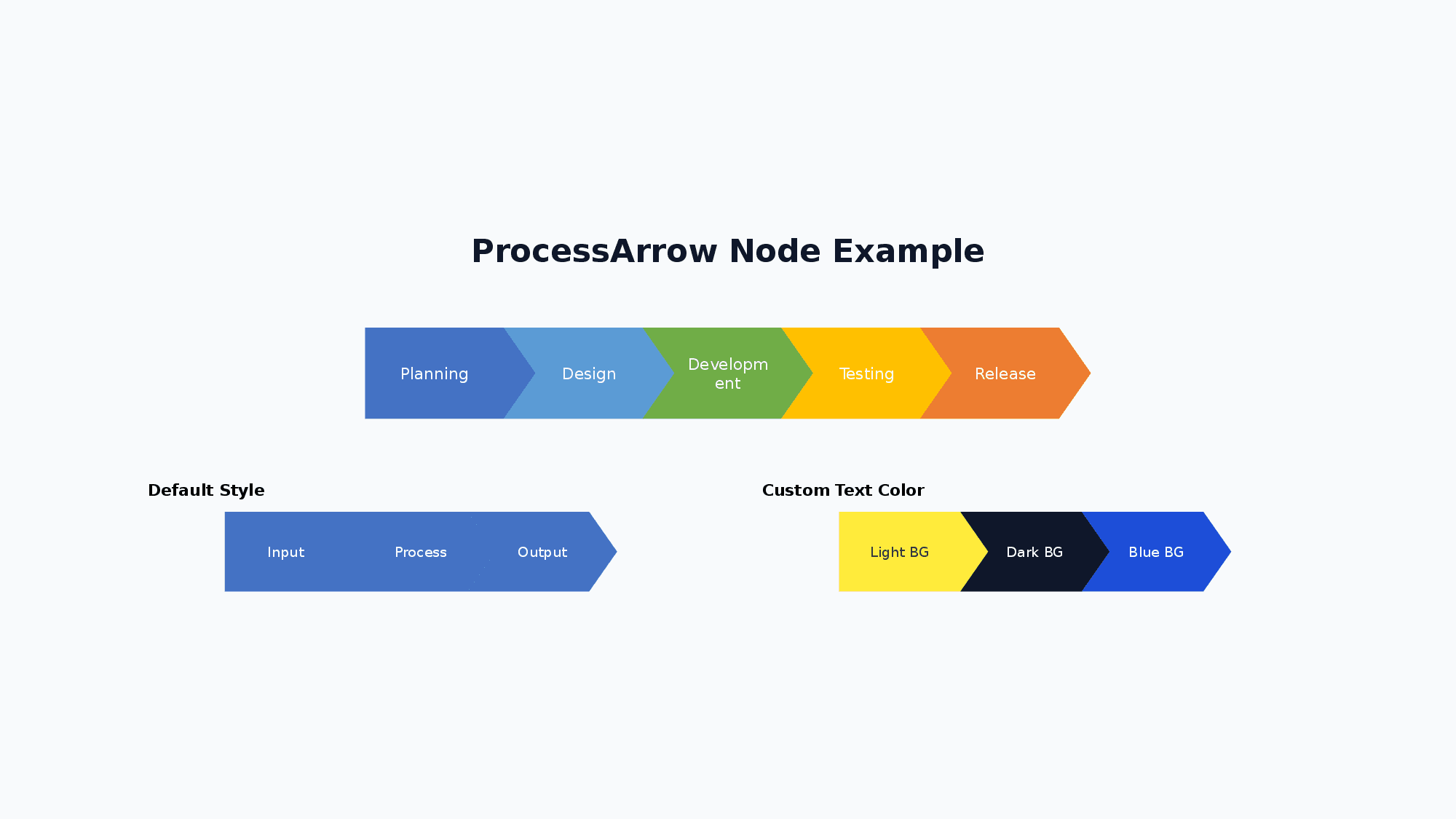
<ProcessArrow direction="horizontal" w="1000" h="80">
  <ProcessArrowStep label="Planning" color="4472C4" />
  <ProcessArrowStep label="Design" color="5B9BD5" />
  <ProcessArrowStep label="Development" color="70AD47" />
  <ProcessArrowStep label="Release" color="ED7D31" />
</ProcessArrow>| Attribute | Values |
|---|---|
direction | horizontal / vertical |
itemWidth | number (default: 150) |
itemHeight | number (default: 80) |
gap | number (default: -(itemHeight×0.35), negative for overlap) |
fontSize | number (default: 14) |
bold italic strike | boolean |
underline | true / underline.style="wavy" underline.color="FF0000" |
highlight | hex (highlight color) |
fontFamily | string (default: Noto Sans JP) |
<ProcessArrowStep>: label (required) color (default: 4472C4) textColor (default: FFFFFF)
Usage Examples:
<!-- Horizontal process arrow with colors -->
<ProcessArrow direction="horizontal" w="1000" h="80">
  <ProcessArrowStep label="Planning" color="4472C4" />
  <ProcessArrowStep label="Design" color="5B9BD5" />
  <ProcessArrowStep label="Development" color="70AD47" />
  <ProcessArrowStep label="Testing" color="FFC000" />
  <ProcessArrowStep label="Release" color="ED7D31" />
</ProcessArrow>

<!-- Vertical process arrow -->
<ProcessArrow direction="vertical" w="200" h="250">
  <ProcessArrowStep label="Phase 1" color="4CAF50" />
  <ProcessArrowStep label="Phase 2" color="2196F3" />
  <ProcessArrowStep label="Phase 3" color="9C27B0" />
</ProcessArrow>

<!-- Custom styling -->
<ProcessArrow direction="horizontal" w="600" h="80"
  itemWidth="180" itemHeight="70" fontSize="16" bold="true">
  <ProcessArrowStep label="Input" color="2196F3" />
  <ProcessArrowStep label="Process" color="00BCD4" />
  <ProcessArrowStep label="Output" color="009688" />
</ProcessArrow>
15. Pyramid
A node for creating pyramid diagrams. Used for visualizing hierarchies, priorities, and layered concepts like Maslow’s hierarchy.
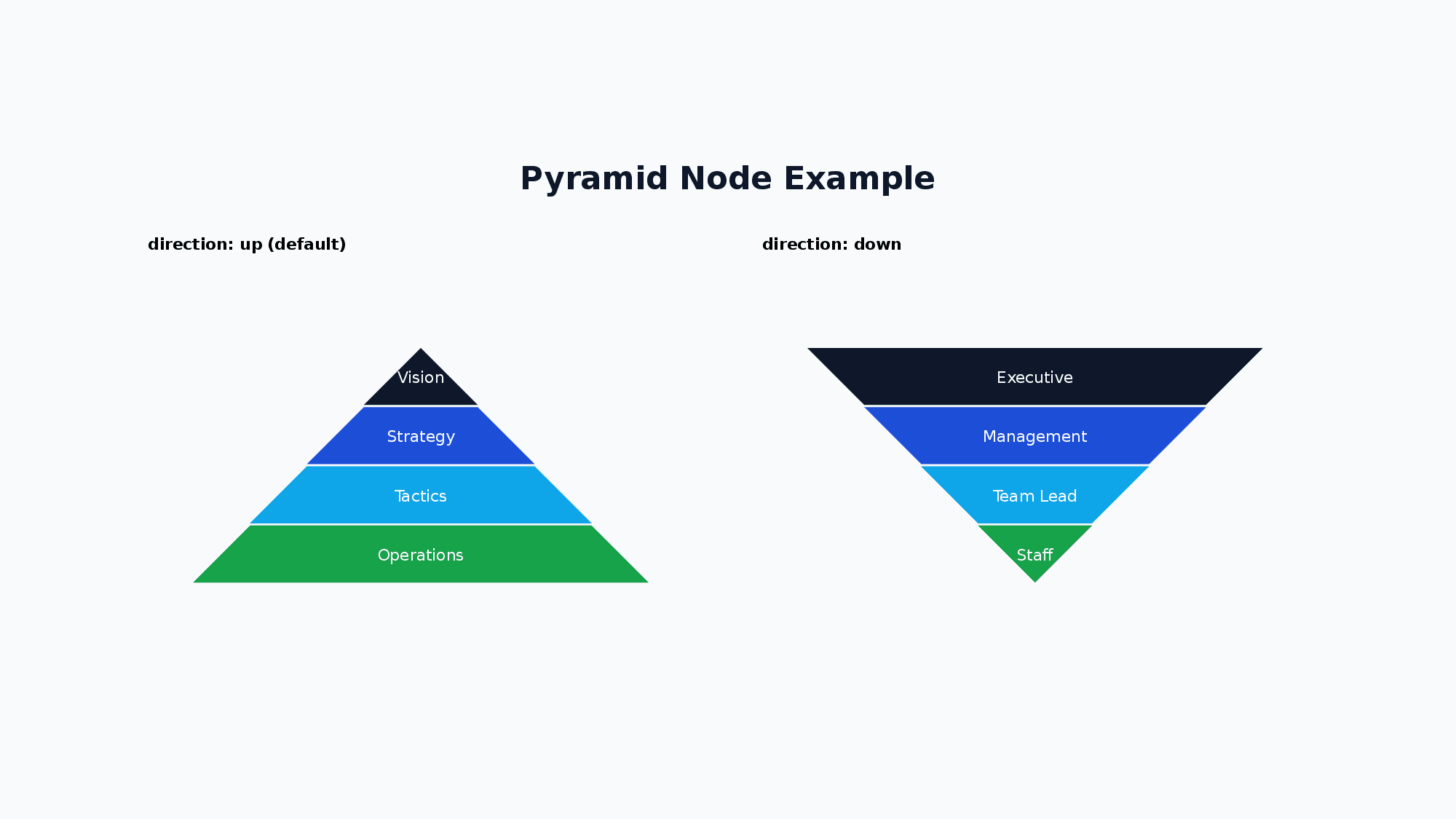
<Pyramid direction="up" w="600" h="300">
  <PyramidLevel label="Strategy" color="E91E63" />
  <PyramidLevel label="Tactics" color="9C27B0" />
  <PyramidLevel label="Execution" color="673AB7" />
</Pyramid>| Attribute | Values |
|---|---|
direction | up (default) / down |
fontSize | number (default: 14) |
bold | boolean |
fontFamily | string (default: Noto Sans JP) |
<PyramidLevel>: label (required) color (default: 4472C4) textColor (default: FFFFFF)
direction="up": First level is the top (narrowest), last level is the base (widest).direction="down": First level is the top (widest), last level is the bottom (narrowest).
Usage Examples:
<!-- Basic pyramid (up direction) -->
<Pyramid direction="up" w="600" h="300">
  <PyramidLevel label="Vision" color="1D4ED8" />
  <PyramidLevel label="Strategy" color="2563EB" />
  <PyramidLevel label="Operations" color="3B82F6" />
</Pyramid>

<!-- Inverted pyramid -->
<Pyramid direction="down" w="600" h="300">
  <PyramidLevel label="Wide" color="4472C4" />
  <PyramidLevel label="Medium" color="5B9BD5" />
  <PyramidLevel label="Narrow" color="70AD47" />
</Pyramid>

<!-- Maslow's hierarchy with custom text colors -->
<Pyramid direction="up" w="800" h="400" fontSize="16" bold="true">
  <PyramidLevel label="Self-actualization" color="F44336" textColor="FFFFFF" />
  <PyramidLevel label="Esteem" color="FF9800" textColor="333333" />
  <PyramidLevel label="Love/Belonging" color="FFEB3B" textColor="333333" />
  <PyramidLevel label="Safety" color="4CAF50" textColor="FFFFFF" />
  <PyramidLevel label="Physiological" color="2196F3" textColor="FFFFFF" />
</Pyramid>
16. Line
A node for drawing lines and arrows. Uses absolute coordinates (x1, y1, x2, y2) for start and end points.
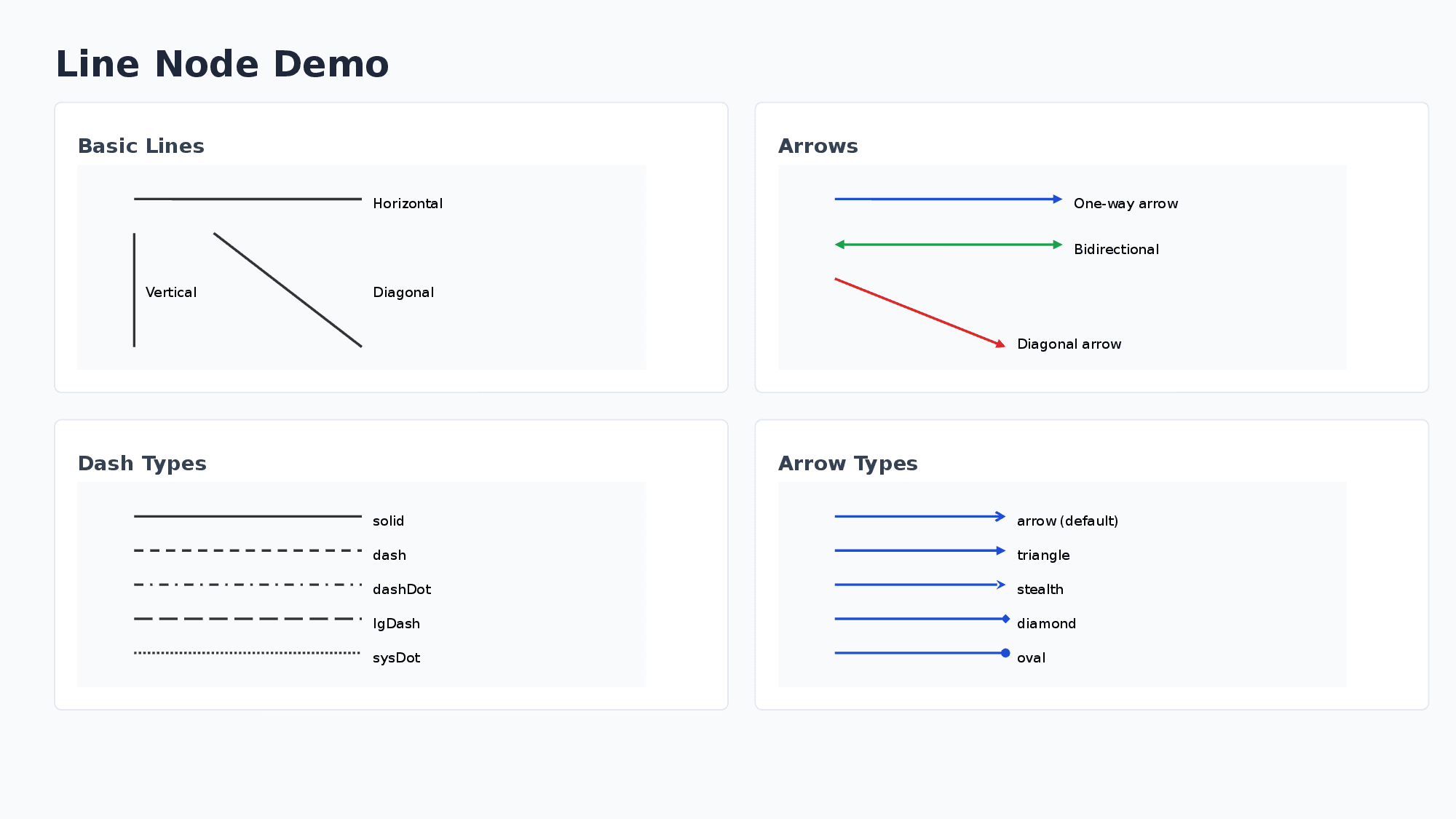
<Line x1="100" y1="100" x2="300" y2="100" color="333333" lineWidth="2" endArrow="true" />| Attribute | Values |
|---|---|
x1 y1 x2 y2 | number (absolute coordinates, required) |
color | hex (default: 000000) |
lineWidth | number (default: 1) |
dashType | solid / dash / dashDot / lgDash / sysDash etc. |
beginArrow / endArrow | true / endArrow.type="triangle" (type: none/arrow/triangle/diamond/oval/stealth) |
Note: Line nodes use absolute coordinates on the slide and are not affected by Yoga layout calculations.
Usage Examples:
<!-- Simple horizontal line -->
<Line x1="100" y1="100" x2="300" y2="100" color="333333" lineWidth="2" />

<!-- Arrow pointing right -->
<Line x1="100" y1="150" x2="300" y2="150" color="333333" lineWidth="2" endArrow="true" />

<!-- Bidirectional arrow -->
<Line x1="100" y1="200" x2="300" y2="200" color="333333" lineWidth="2" beginArrow="true" endArrow="true" />

<!-- Diagonal line with arrow (bottom-right direction) -->
<Line x1="100" y1="100" x2="250" y2="200" color="1D4ED8" lineWidth="2" endArrow="true" />

<!-- Dashed line -->
<Line x1="100" y1="250" x2="300" y2="250" color="333333" lineWidth="2" dashType="dash" />

<!-- Custom arrow type (diamond) -->
<Line x1="100" y1="300" x2="300" y2="300" color="1D4ED8" lineWidth="2" endArrow.type="diamond" />
17. Layer
A container for absolute positioning of child elements. Child elements are positioned using x and y coordinates relative to the layer’s top-left corner.
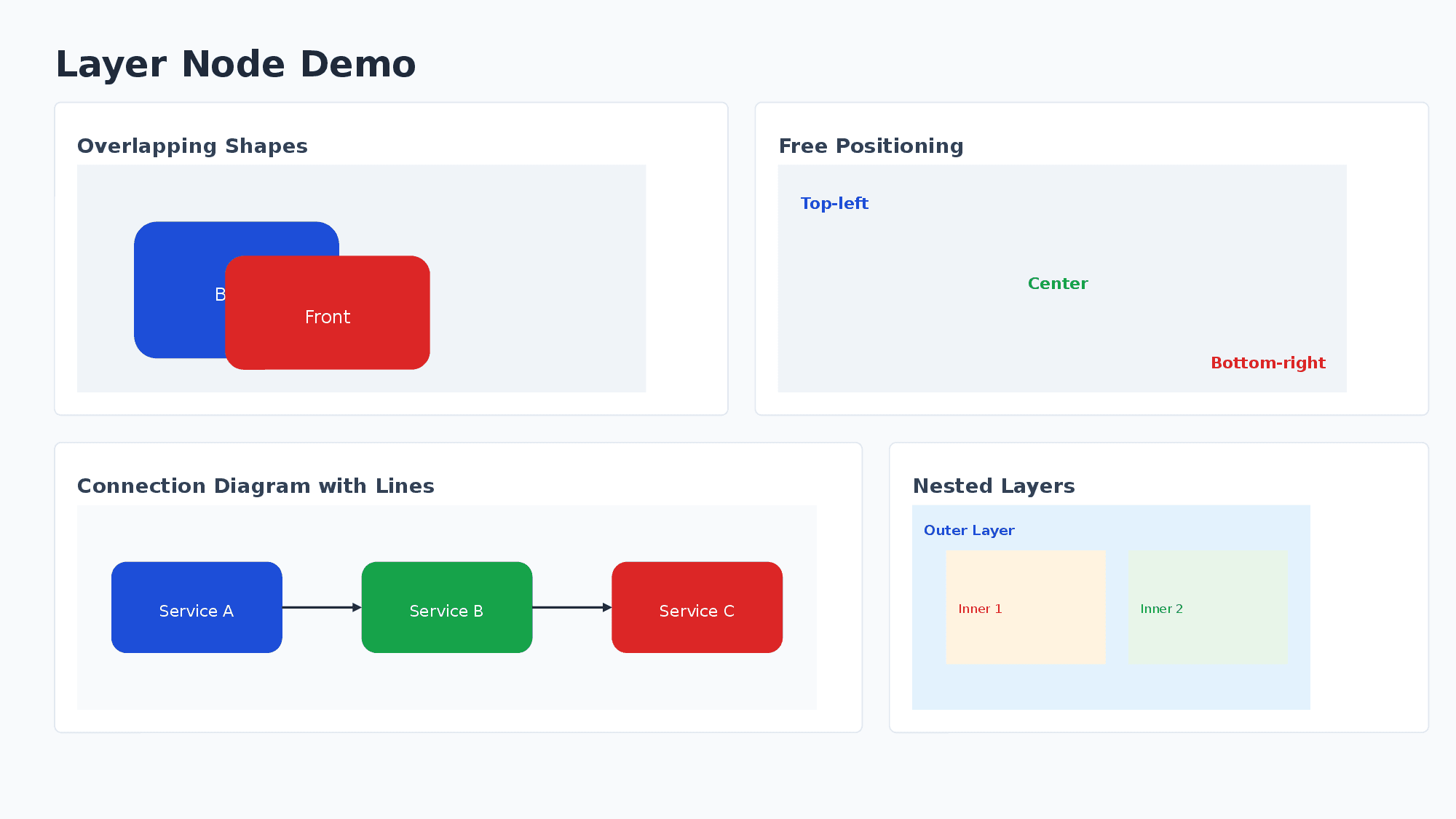
<Layer w="600" h="400">
  <Shape shapeType="roundRect" x="50" y="50" w="120" h="80" fill.color="1D4ED8" text="A" color="FFFFFF" />
  <Line x1="170" y1="90" x2="300" y2="90" endArrow="true" />
</Layer>- Child elements can have
xyattributes (relative to layer’s top-left corner, defaults to0). - Drawing order follows document order (later elements are drawn on top).
- Layer itself participates in Flexbox layout (can be placed in VStack/HStack).
- Layers can be nested.
Usage Examples:
<!-- Basic absolute positioning with overlapping shapes -->
<Layer w="600" h="400" backgroundColor="F0F4F8">
  <!-- Back shape (drawn first) -->
  <Shape shapeType="rect" x="50" y="50" w="120" h="100" fill.color="1D4ED8" text="Back" color="FFFFFF" />
  <!-- Front shape (drawn on top) -->
  <Shape shapeType="rect" x="100" y="80" w="120" h="100" fill.color="DC2626" text="Front" color="FFFFFF" />
</Layer>

<!-- Layer with VStack children for free-form layout -->
<Layer w="800" h="300" backgroundColor="F8FAFC">
  <VStack x="20" y="20" w="200" gap="8" padding="12" backgroundColor="FFFFFF">
    <Text fontSize="14" bold="true">Left Column</Text>
    <Text fontSize="12">Content A</Text>
  </VStack>
  <VStack x="300" y="20" w="200" gap="8" padding="12" backgroundColor="FFFFFF">
    <Text fontSize="14" bold="true">Right Column</Text>
    <Text fontSize="12">Content B</Text>
  </VStack>
</Layer>

<!-- Connection diagram with lines -->
<Layer w="800" h="200" backgroundColor="F8FAFC">
  <Shape shapeType="roundRect" x="50" y="60" w="150" h="80" fill.color="1D4ED8" text="Service A" color="FFFFFF" />
  <Shape shapeType="roundRect" x="350" y="60" w="150" h="80" fill.color="16A34A" text="Service B" color="FFFFFF" />
  <Line x1="200" y1="100" x2="350" y2="100" color="333333" lineWidth="2" endArrow="true" />
  <Text x="240" y="70" fontSize="10">API Call</Text>
</Layer>

<!-- Nested layers -->
<Layer w="600" h="150" backgroundColor="E3F2FD">
  <Text x="10" y="10" fontSize="12" bold="true">Outer Layer</Text>
  <Layer x="50" y="40" w="200" h="80" backgroundColor="FFF3E0">
    <Text x="10" y="30" fontSize="11">Inner Layer</Text>
  </Layer>
</Layer>
18. Icon
A node for displaying icons from the Lucide icon library. Icons are rendered as PNG images at the specified size and color.
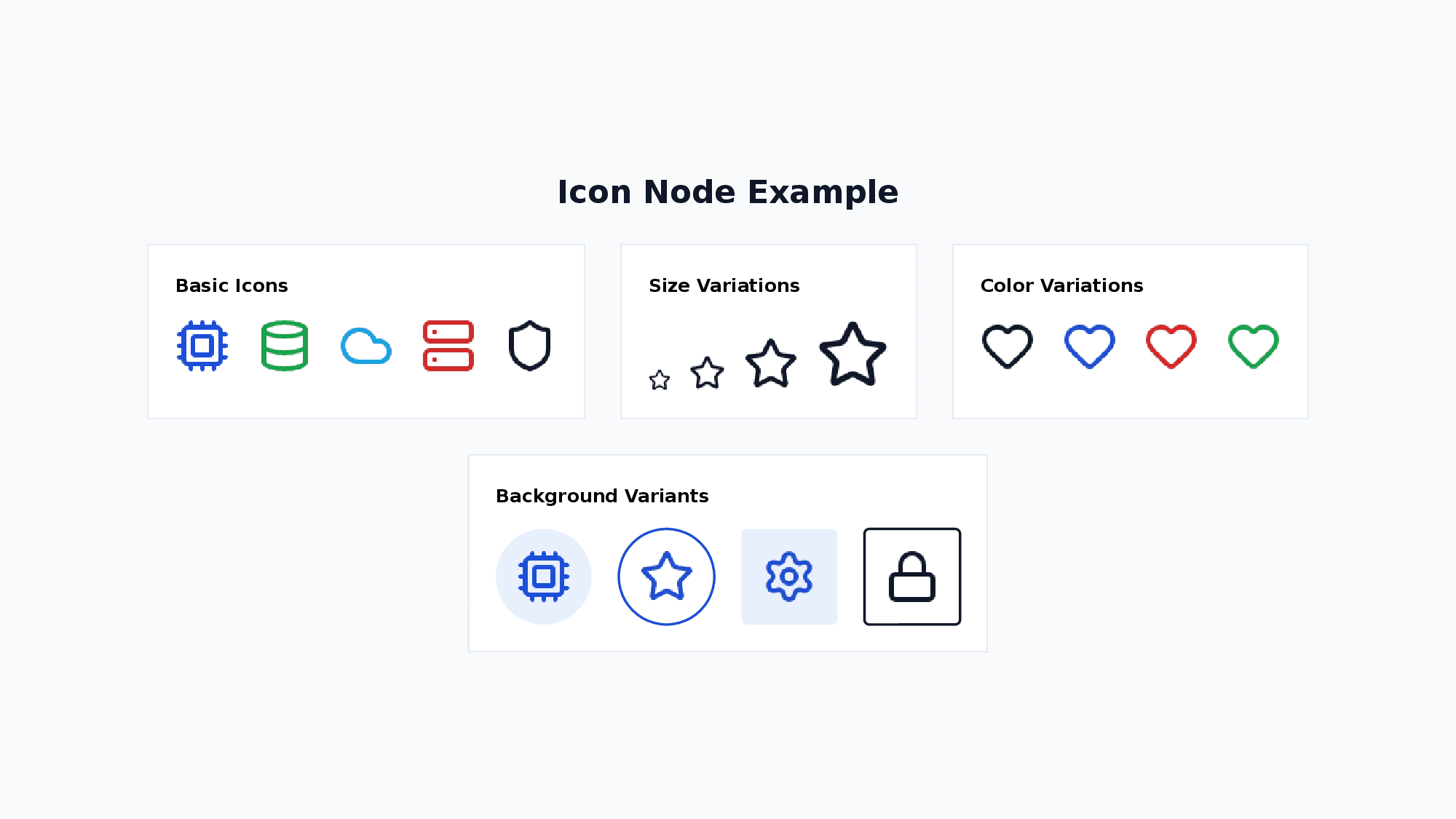
<Icon name="cpu" size="32" color="#1D4ED8" />
<Icon name="cpu" variant="circle-filled" bgColor="#E8F0FE" color="#1D4ED8" />| Attribute | Values |
|---|---|
name | icon name (required) |
size | number (default: 24, in px) |
color | hex color (default: #000000) |
variant | circle-filled, circle-outlined, square-filled, square-outlined |
bgColor | hex color for the background shape (default: #E0E0E0 when variant is set) |
glow | glow.size="8" glow.opacity="0.5" glow.color="FF3399" — applied to the background shape (variant required, ignored on bare icons) |
outline | outline.size="2" outline.color="0088CC" — applied to the background shape (variant required, overrides the variant default line) |
rotate | number (degrees clockwise, render-only) |
Icon Effects (glow / outline):
glow and outline are applied to the background shape created by variant. They are not applied to the PNG icon glyph itself (the glyph is rasterized and PowerPoint native effects cannot be added afterwards), so both are no-ops when variant is not set. Typical use is glowing badge dots, timeline markers, and outlined chips.
<!-- Glowing badge dot -->
<Icon name="star" size="16" variant="circle-filled" bgColor="3B82F6" glow.size="10" glow.color="3B82F6" />
<!-- Outlined badge -->
<Icon name="info" size="18" variant="circle-outlined" color="1D4ED8" outline.size="2" outline.color="1D4ED8" />
All Lucide icons are available. Below are common examples:
Common Icons (49):
| Category | Icons |
|---|---|
| Technology | cpu, database, cloud, server, code, terminal, wifi, globe |
| People | user, users, contact |
| Business | briefcase, building, bar-chart, line-chart, pie-chart, trending-up |
| Communication | mail, message-square, phone, video |
| Action | search, settings, filter, download, upload, share |
| Status | check, alert-triangle, info, shield, lock, unlock |
| Content | file, folder, image, calendar, clock, bookmark |
| Navigation | arrow-right, arrow-left, arrow-up, arrow-down, external-link |
| Other | star, heart, zap, target, lightbulb |
19. Svg
A node for rendering inline SVG graphics. SVGs are rasterized to PNG at the specified size.
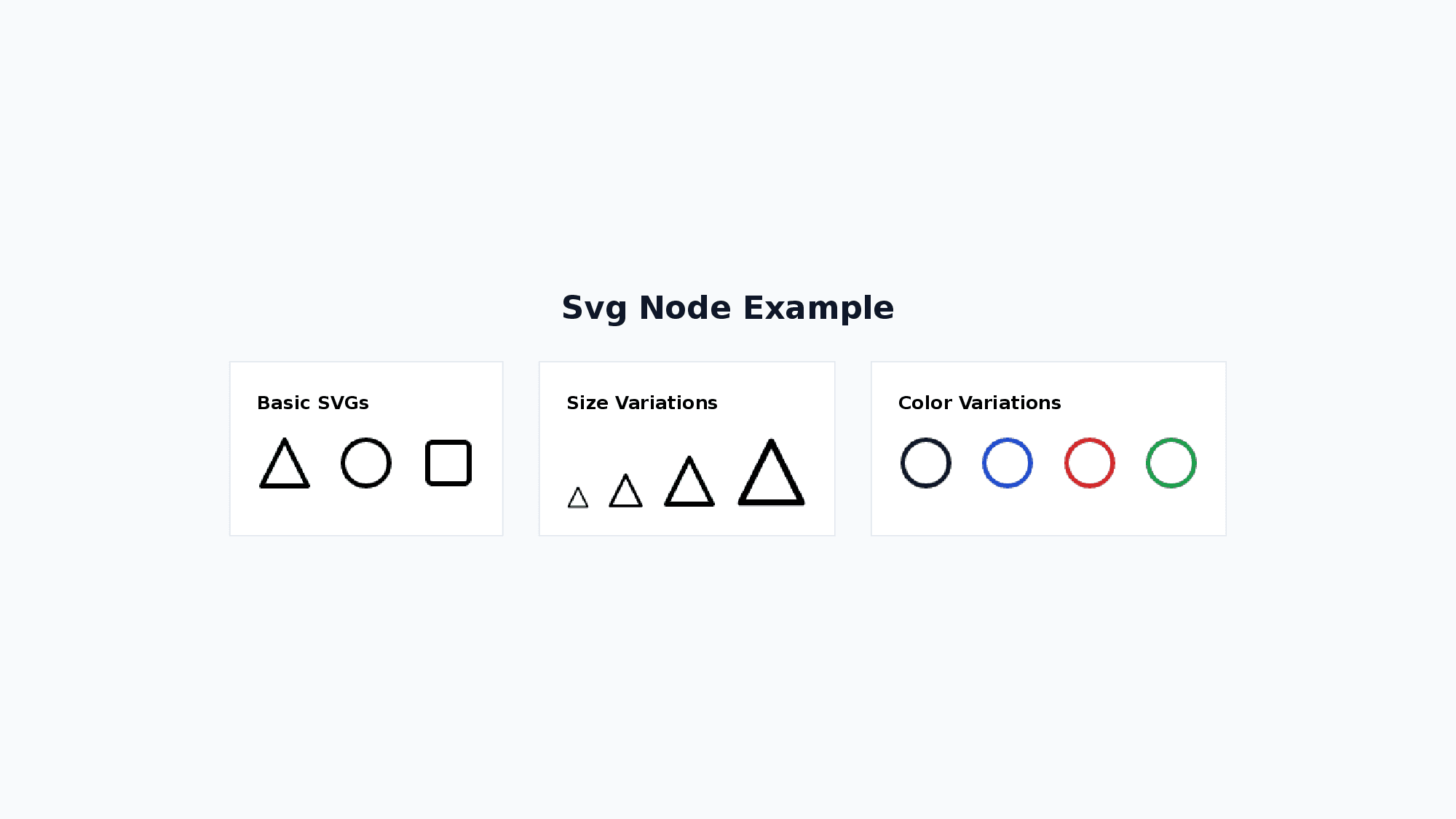
<Svg w="32" h="32" color="#1D4ED8">
  <svg viewBox="0 0 24 24">
    <path d="M12 2L2 22h20z" fill="none" stroke-width="2"/>
  </svg>
</Svg>| Attribute | Values |
|---|---|
w | number (default: 24, width in px) |
h | number (default: 24, height in px) |
color | hex color |
A <svg> child element is required.
When color is specified, it sets stroke and fill="none" on the root <svg> element. If child elements within the SVG have explicit stroke or fill attributes, those take precedence over the root-level values.
20. Arrow
A node for drawing connectors between elements referenced by their id attribute. Unlike Line (which requires manual coordinates), Arrow automatically connects two nodes by ID.
<Layer w="1280" h="720">
  <Shape id="a" x="100" y="100" w="120" h="40" shapeType="rect">A</Shape>
  <Shape id="b" x="100" y="200" w="120" h="40" shapeType="rect">B</Shape>
  <Arrow x="0" y="0" from="a" to="b" endArrow="true" />
</Layer>| Attribute | Values |
|---|---|
from | string (id of the source node, required) |
to | string (id of the destination node, required) |
color | hex (default: 000000) |
lineWidth | number (default: 1) |
dashType | solid / dash / dashDot / lgDash / sysDash etc. |
beginArrow / endArrow | true / endArrow.type="triangle" (type: none/arrow/triangle/diamond/oval/stealth) |
The connector is stored as a native PowerPoint straight connector. It attaches to the nearest cardinal connection sites of the referenced shapes, so it follows them when they are moved in PowerPoint. Text nodes and Shape nodes whose shapeType is rect, roundRect, or ellipse can be connector targets. Rotation is reflected when choosing the nearest site.
If either ID is not found on the slide, a ARROW_REF_NOT_FOUND diagnostic is emitted (build succeeds, connector is omitted).
If an ID exists but belongs to another node type or an unsupported shape geometry, a ARROW_REF_NOT_CONNECTABLE diagnostic is emitted (build succeeds, connector is omitted).
Usage Example:
<Layer w="1280" h="720">
  <Shape id="web" x="100" y="120" w="160" h="60" shapeType="roundRect" fill.color="1D4ED8" color="FFFFFF">Web App</Shape>
  <Shape id="api" x="100" y="260" w="160" h="60" shapeType="roundRect" fill.color="16A34A" color="FFFFFF">API</Shape>
  <Shape id="db"  x="100" y="400" w="160" h="60" shapeType="roundRect" fill.color="DC2626" color="FFFFFF">DB</Shape>
  <!-- Connectors -->
  <Arrow x="0" y="0" from="web" to="api" endArrow="true" />
  <Arrow x="0" y="0" from="api" to="db"  endArrow="true" />
  <!-- Bidirectional with style -->
  <Arrow x="0" y="0" from="api" to="web" beginArrow="true" endArrow="true" color="333333" lineWidth="2" dashType="dash" />
</Layer>